
 SEOWordPress plugin · Free
Indigothorn 404 Redirects
Lost addresses, the right page, one click. You approve every redirect.
Auto-redirect plugins sent 27% of visitors to the wrong page. We show the reason before anything redirects.
Specification
- Price
- Free, GPL
- Version
- 0.1.0
- Requires
- WordPress 6.5+, PHP 8.1+
- Tested up to
- WordPress 7.1
- Instead of
- Manual 404 cleanup
- AI
- Not used
- Key number
- Right page first for 87% of lost links
See the idea work, right here.
A small working preview of what the plugin does, on sample data, in your browser. Nothing is sent anywhere.
A visitor asked for…
Published pages on the sample site
Suggestions · nothing redirects until you approve
In our lab, the right page was first for 87% of 30 lost addresses and in the top 3 for 29 of 30. Checking a request costs 0 database queries.
Indigothorn 404 Redirects vs the alternatives.
Measured in our lab with the same data where there is a number; features from each plugin’s own page otherwise.
| Feature | Indigothorn 404 RedirectsIndigothorn · free | Redirection2M installs | 404 Auto Redirect to Similar Post30k installs |
|---|---|---|---|
| Right page in first place (30 lost URLs) | 87% | — | 73%, redirected without review |
| Top 3 suggestions with a score and reason | Yes | No | No |
| You review before anything redirects | Yes | Partly | No |
| 404 log without IP addresses | Yes | No | — |
| Imports Redirection rules | Yes | — | No |
| Queries per request (up to 1,000 rules) | 0 | Some | A search on every 404 |
Six kinds of broken links: typos, old dates in permalinks, old category bases, truncated links, .html from an old CMS and changed slugs. The right page was in our top 3 for 29 of 30. “—” means not applicable or not checked.
What you get.
What it does
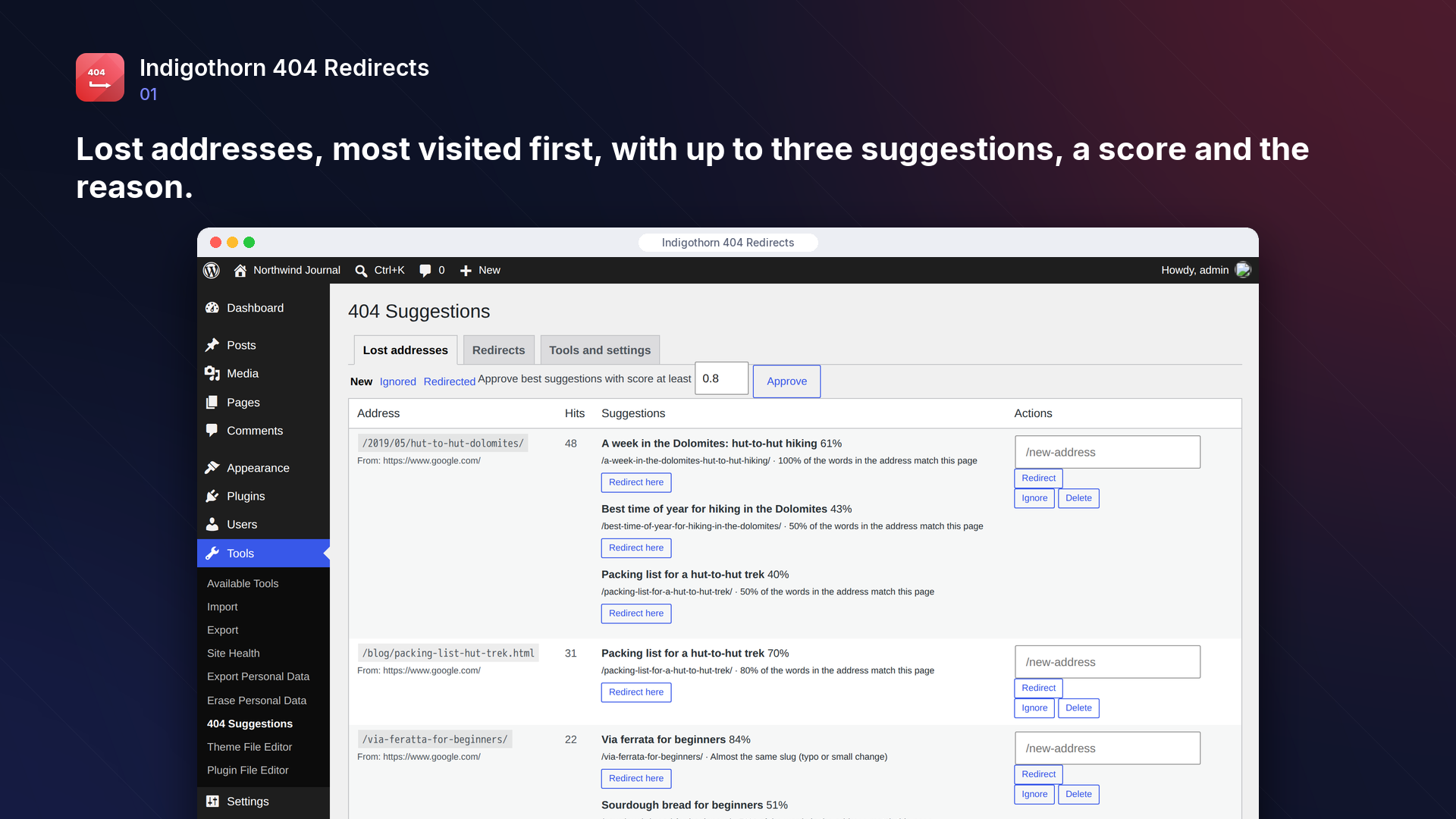
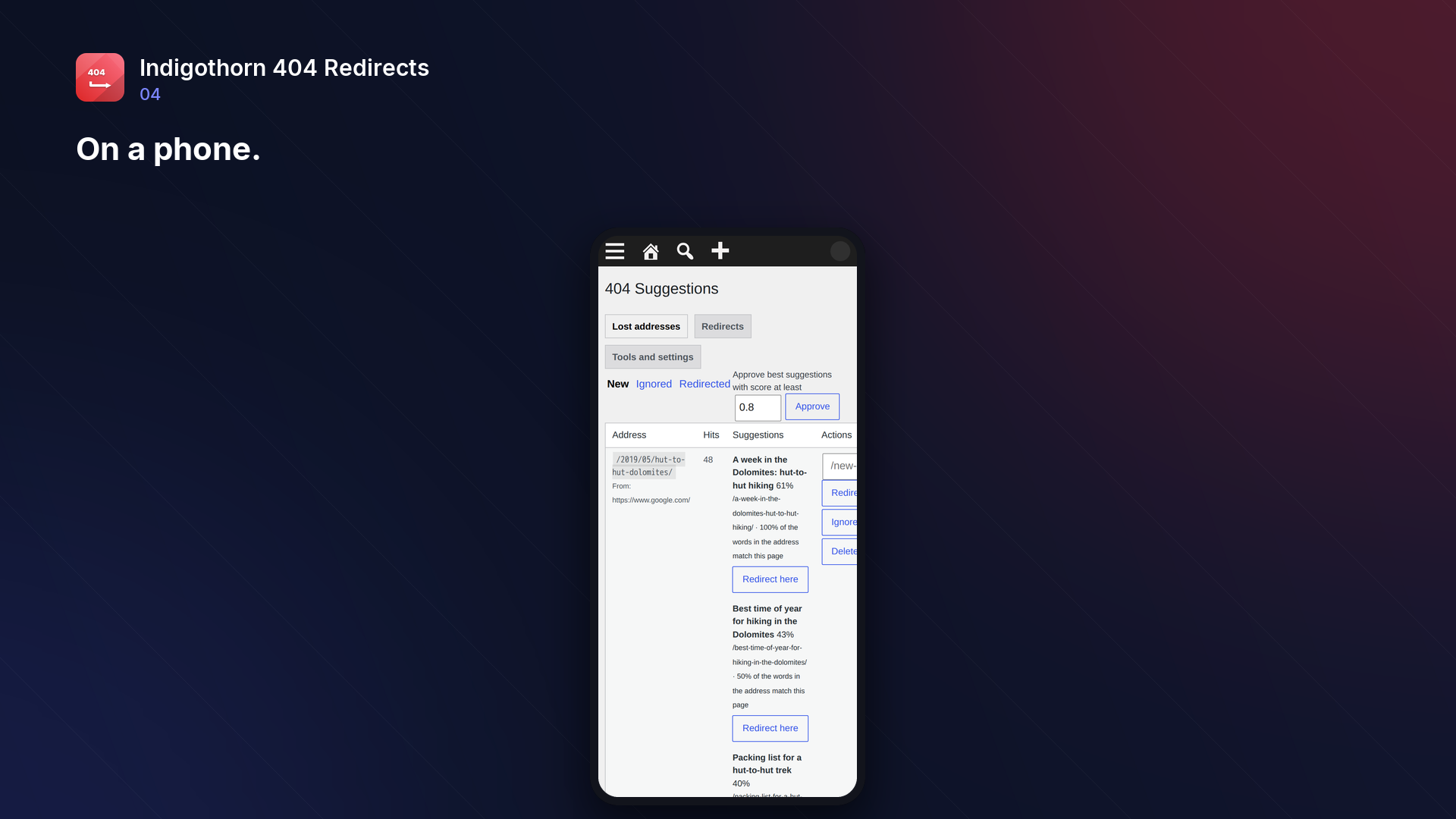
Changed a slug, moved a category or migrated your site? Visitors and search engines still use the old addresses and land on "Page not found". Indigothorn 404 Redirects keeps a short list of those lost addresses, sorted by how often they are hit, and for each one suggests the most likely current page, with a score and the reason (same slug, former slug, typo, matching words).
You stay in control: approve a suggestion, type your own target, or ignore the address. Nothing is redirected automatically unless you switch that on.
Features
- Lost-address log without IP addresses; bots and requests for images, scripts and styles are ignored, and you can add your own addresses and user agents to ignore.
- Suggestions from slugs, former slugs (renamed posts), typos and matching words.
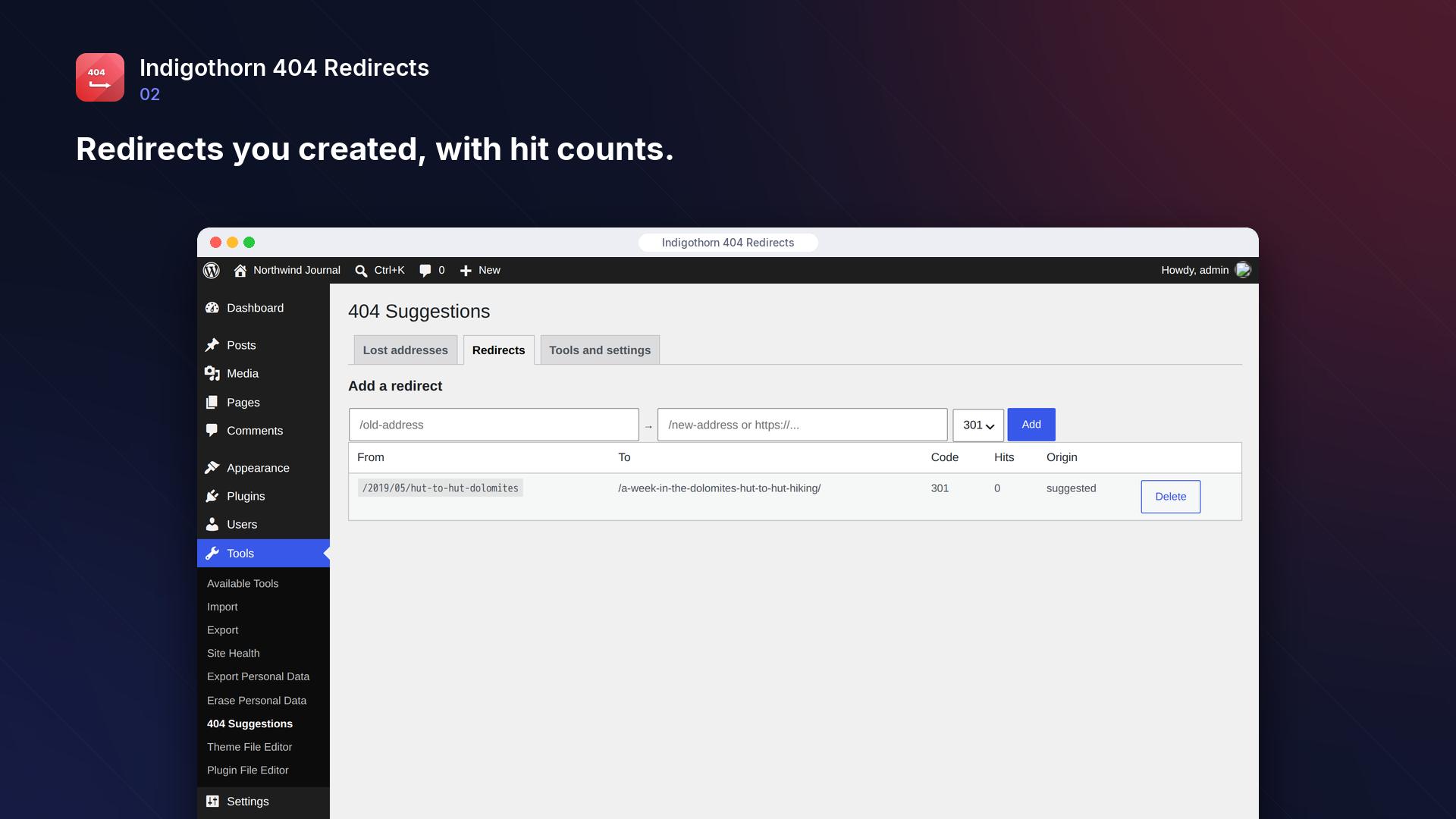
- One-click 301 redirects, plus 302, 307, 308 and 410 Gone. Self-redirects and redirect chains are prevented.
- Fast: on most sites the redirect check uses no database query at all.
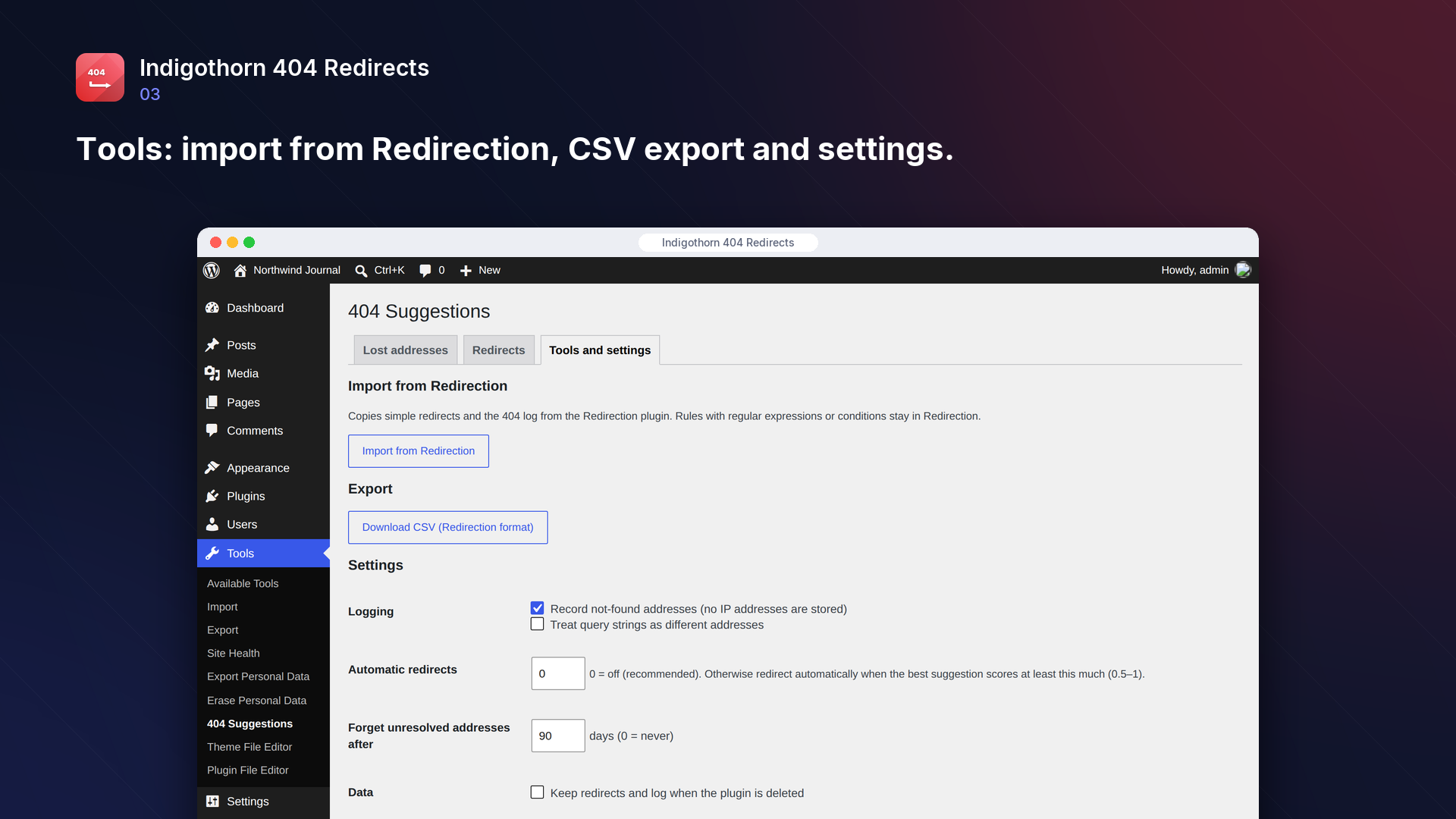
- Works alongside Redirection: import its simple redirects and 404 log, export your redirects as a CSV that Redirection can import.
- CSV import with a preview: see which rows are new, which replace an existing redirect and which are invalid before anything is saved. Chains inside the file are shortened to the final page.
- Bulk actions: delete redirects or change their type in one go; edit any redirect.
- WP-CLI:
wp indigothorn-404-redirects suggest /old-address/,import-redirection,import-csv <file> [--dry-run] [--overwrite],export. - No external services.
Suggestions you can trust
Some plugins redirect every lost address automatically to "the most similar post". In our test with 30 typical broken links (typos, old date permalinks, old category bases, truncated links, .html addresses from an old CMS, renamed slugs), such a plugin sent 27% of visitors silently to the wrong page. Indigothorn 404 Redirects had the right page as the first suggestion for 87% of them and among the top three for 97%, and you see the reason before anything is redirected.
Light on large sites
On a test site with 10,000 posts:
- checking whether a request needs a redirect takes 0.16 ms with 1,000 redirect rules, with no database query;
- logging a not-found address takes under 1 ms;
- suggestions for a lost address are computed in about 30 ms, only when you open the report.
Inside WordPress.
How we checked it.
Automated on every release in an offline lab. The numbers are copied from the latest runs.
automated tests: 59 unit and integration, 14 in a real browser
full regression on WordPress 7.1, 6.5 and multisite (2026-10-15)
Plugin Check errors and warnings, including experimental checks
issues found by independent code reviews and fixed, each with a regression test
automated WCAG 2.1 A/AA check of every screen, no serious issues
PHP versions in static analysis and coding standards, both clean
Performance10,003 published posts
- suggestions for a lost address on 10003 posts: median 28 ms, p95 37 ms, 6 queries
- redirect check with 1,000 rules: 0.156 ms per request, 0.00 queries
- logging a 404: 0.76 ms
No AI. Nothing leaves your site.
How it works
Matches each 404 to your published URLs by words, slugs and history. You approve every redirect.
AI
Not used. Everything runs on your server.
What leaves your site
Nothing. The plugin makes no outside requests.
Common questions.
Can I stop some addresses or tools from filling the list?
Yes. In Tools and settings, list addresses to ignore, one per line: "/shop" also covers "/shop/old-item" (but not "/shopping"), and "*" stands for any characters, for example "/*.php". You can also list parts of user agents, such as the name of your uptime monitor. Addresses already in the list that match are removed when you save. Up to 100 entries each.
Do I need to remove Redirection?
No. You can keep Redirection for advanced rules (regular expressions, conditions) and use this plugin to find and fix lost addresses.
What data is stored?
The address that was not found, how many times, when, and the last referring page without its query string. No IP addresses or user agents. Unresolved addresses are forgotten after 90 days (configurable) and the log is capped at 20,000 addresses.
Can it redirect automatically?
Yes, if you want: set "Automatic redirects" to a score (for example 0.9) and only very confident matches are redirected without review. New addresses are matched at most 20 times a minute on visitor requests, so floods of random addresses cannot slow the site down. It is off by default.
Which CSV files can I import?
One redirect per row: the old address, the new address and optionally the code (301, 302, 307, 308 or 410; 301 if empty). A header row is optional; files exported by this plugin or by Redirection work as they are, and semicolons work as separators. Up to 5,000 rows or 2 MB per file. The preview shows every row before anything is saved, and existing redirects are only replaced if you tick the box. Rows with another site as the source, or with a target that is not a path or an http(s) address, are refused.
What happens to my data when I delete the plugin?
Redirects, the log and settings are removed unless you tick "Keep redirects and log when the plugin is deleted". Export your redirects as a CSV first if you want to move them to another plugin.
Installation
1. Install and activate the plugin. Lost addresses are logged from now on.
2. Go to Tools → 404 Redirects. Click "Redirect here" under the right suggestion, type your own target, or ignore the address.
3. Using Redirection? Import its simple redirects and 404 log under "Tools and settings".
Works well with.
Indigothorn Table of Contents
A table of contents with zero JavaScript. Your LuckyWP links stay the same.
Indigothorn Related Posts
Related posts that understand your content. YARPP migration in one click.
Indigothorn Link Checker
Find broken links without slowing your site. Fix them in one click.