
 SEOWordPress plugin · Free
Indigothorn Link Checker
Find broken links without slowing your site. Fix them in one click.
No cloud, no account, no link limit. Runs on your server in tiny, polite batches.
Specification
- Price
- Free, GPL
- Version
- 0.1.0
- Requires
- WordPress 6.5+, PHP 8.1+
- Tested up to
- WordPress 7.1
- Instead of
- Broken Link Checker
- AI
- Not used
- Key number
- 50,000 links scanned in under 2 min
See the idea work, right here.
A small working preview of what the plugin does, on sample data, in your browser. Nothing is sent anywhere.
Post: “Our plans for next year”
Read the full guide, summer sale, pricing, annual report, router page, our first summer and API docs.
0/7 checked · 0 broken · one request at a time per website, small background batches.
Report
Indigothorn Link Checker vs the alternatives.
Measured in our lab with the same data where there is a number; features from each plugin’s own page otherwise.
| Feature | Indigothorn Link CheckerIndigothorn · free | Broken Link CheckerWPMU DEV, 500k | Broken Link Checkerby AIOSEO, 300k |
|---|---|---|---|
| Checks from your own server | Yes | Partly | No |
| Account needed | No | Yes, for the cloud engine | Yes |
| Hard limits on server load | Yes | — | — |
| Blocks requests to private or local addresses | Yes | — | — |
| One-click fix: unlink, new URL, redirect | Yes | Partly | — |
| Archived copy for dead pages | Yes | — | — |
Feature comparison from the plugins’ WordPress.org pages and our lab, October 2026. Broken Link Checker by WPMU DEV keeps a local “legacy” engine; its default engine runs in their cloud. “—” means not applicable or not checked.
The free plugin is complete. Pro adds the heavy lifting.
Proposed price, not on sale yet: from $29 / year. $29 / year up to 5,000 links · $59 up to 50,000 · $149 up to 250,000.
- Scans from our cloud: zero load on your server
- Scheduled scans and email alerts
- Replacement suggestions for dead links
What you get.
What it does
Broken links frustrate readers and waste search engine crawl time. Indigothorn Link Checker finds them in small, polite background batches and lets you fix them right from the report.
- Light on your server: links are checked in small batches every 15 minutes, with a time limit per run. In our test with 1,000 links every run took under 1.2 seconds and added about 2 MB of memory.
- Polite to other websites: at most a few requests per website per minute (you choose how many), and it backs off when a site answers "Too many requests".
- Smart re-checks: working links are re-checked every two weeks, broken ones daily, temporary errors (timeouts, server errors) a few times before a link counts as broken.
- Internal links are checked without web requests whenever they point to a post or page.
- You decide when other websites are contacted: after activation only links to your own site are checked. Links to other websites are checked once an administrator clicks "Check links to other websites" (or turns on "External links" in the settings).
- Safe: links written in your content never make your server contact private or local network addresses.
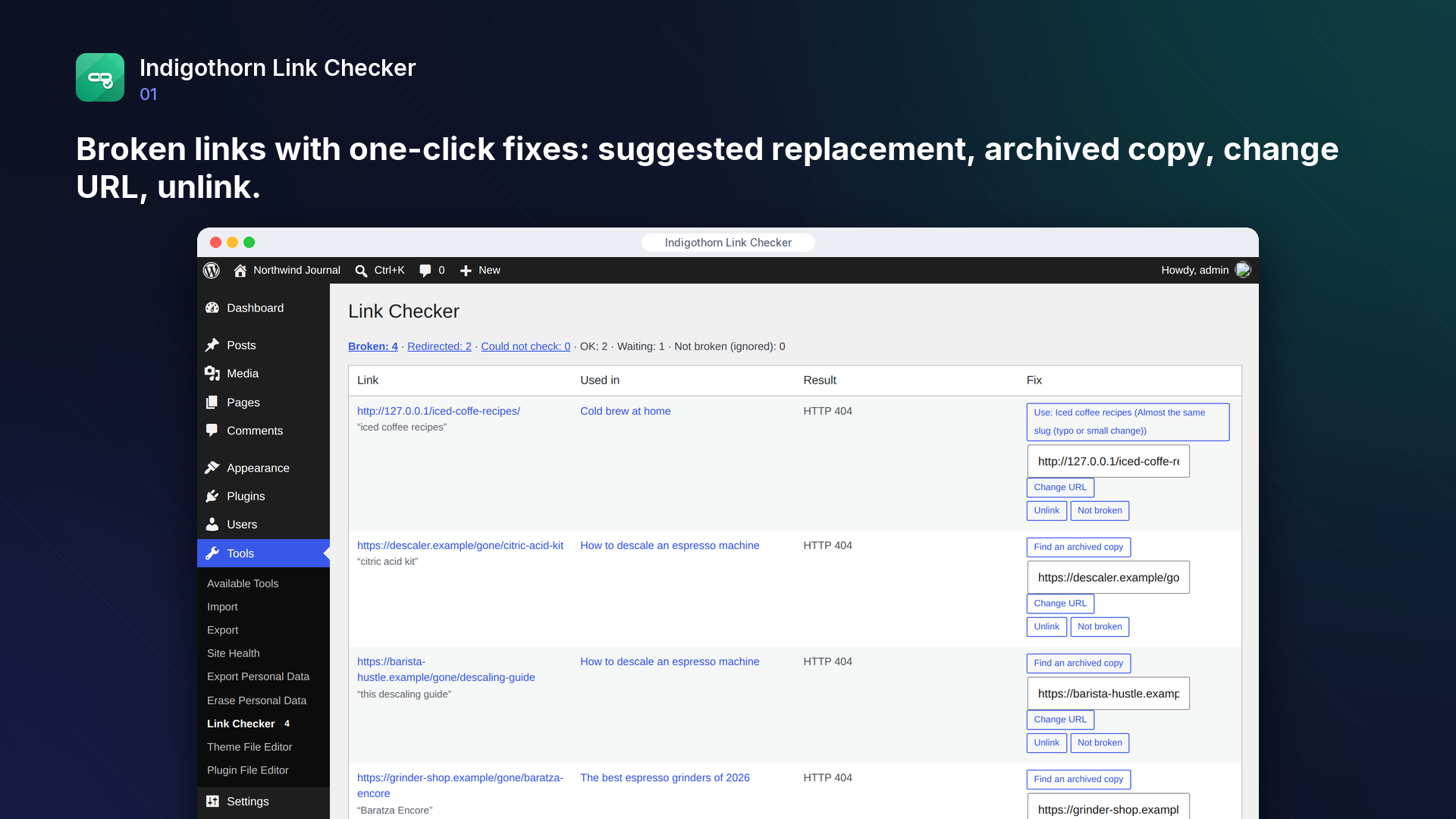
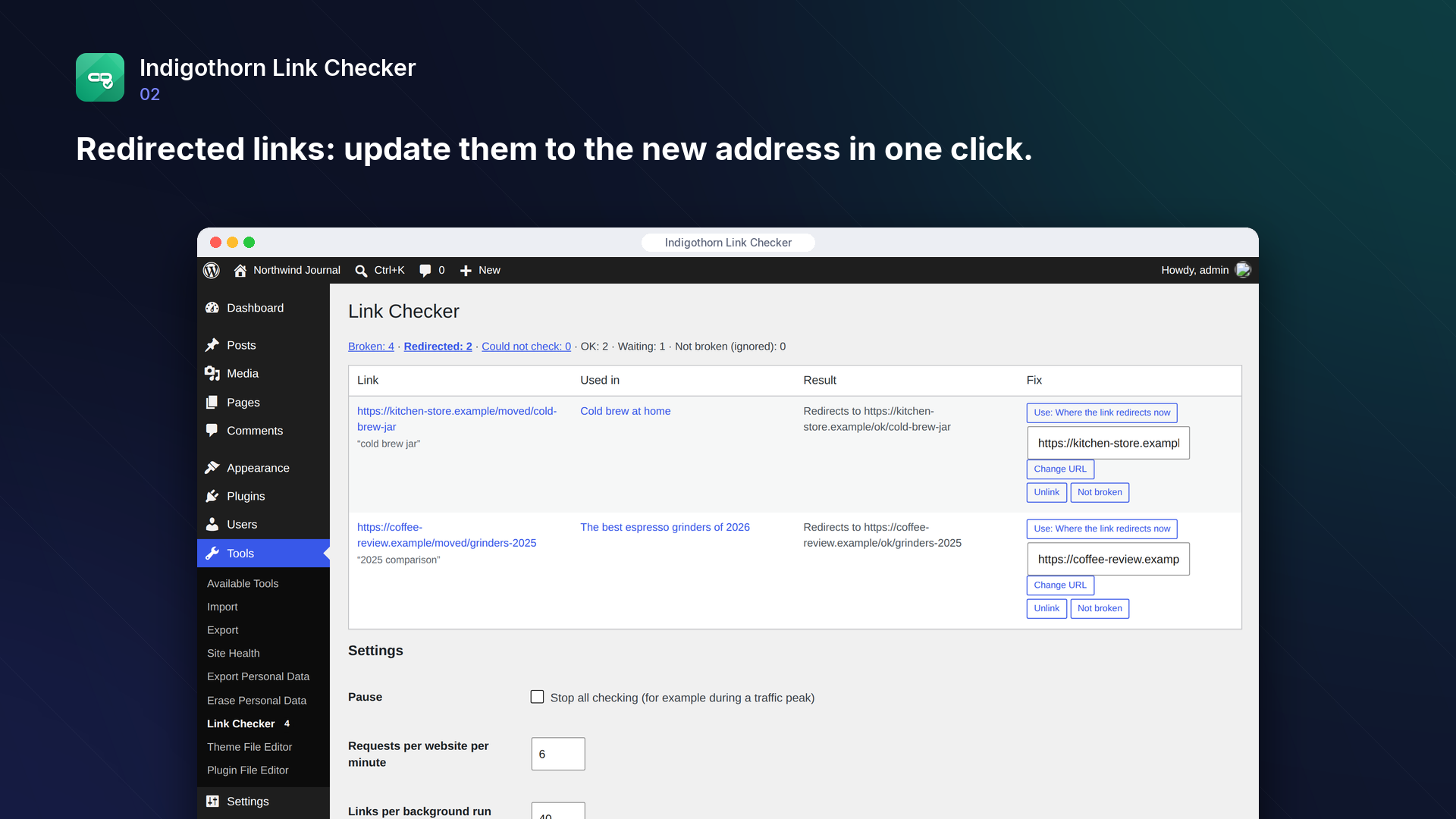
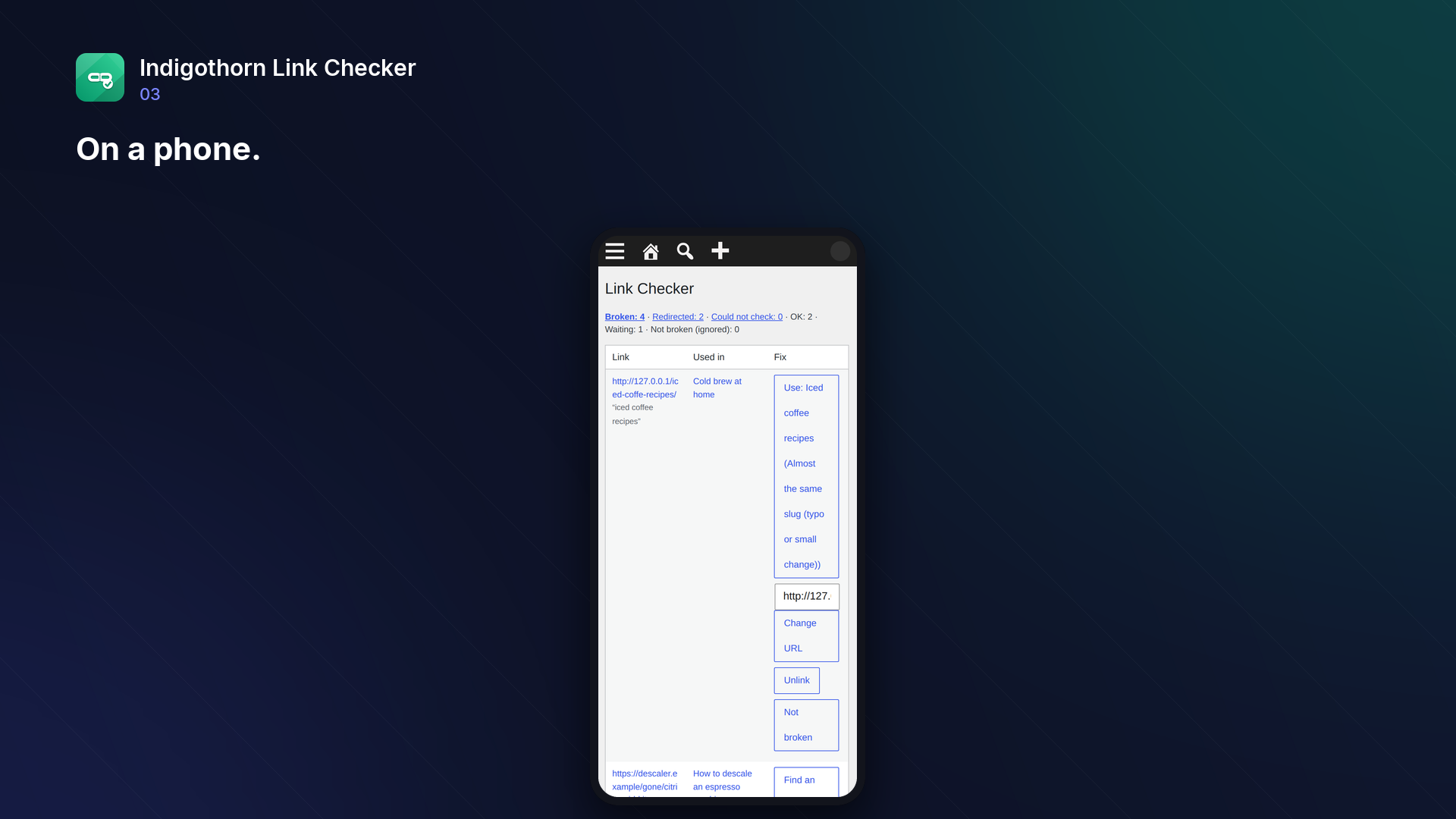
- One-click fixes: unlink (keep the text), change the URL, use the page the link now redirects to, or the most similar page on your site for broken internal links. Every change saves a revision.
- Images and custom fields (optional): also check image addresses and the links in custom fields you choose (ACF fields and repeaters, page-builder data, plain URL fields). Off until you turn it on.
- Bulk fixes and filters: filter the report by website or by post, then change the URL, unlink, use the suggestion or mark "Not broken" for up to 50 selected links at once (one revision per post).
- Per-website view: links per website, when they were last checked and whether a website asked to slow down; "Check again now" for one website, and administrators can pause checks for a website.
- Redirect instead of editing (optional): with Indigothorn 404 Redirects active, administrators can add a 301 redirect for a broken address on your site with one click, instead of changing the posts that link to it.
- "Not broken" hides false alarms; links blocked by login or bot protection are reported separately, never as broken.
- Archived copies: for a dead external page, look up the latest copy in the Internet Archive's Wayback Machine.
- Weekly email (optional): a list of broken links once a week, only in weeks with broken links. Off until you turn it on.
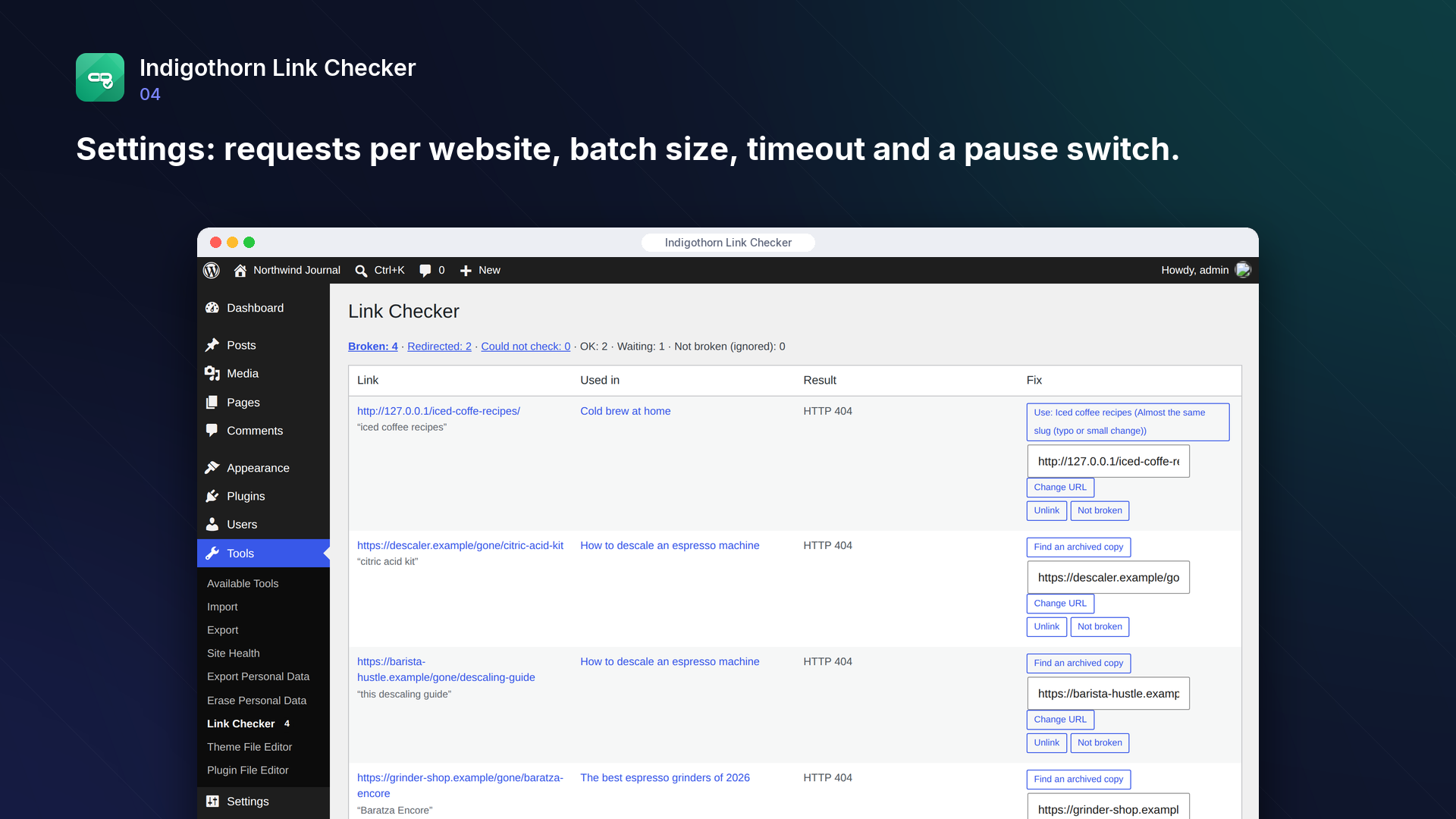
- Pause switch and WP-CLI:
wp indigothorn-link-checker scan,wp indigothorn-link-checker run,wp indigothorn-link-checker status.
No account, no cloud
Popular link checkers now scan from their own cloud and need an account, often with a free limit on the number of links. Indigothorn Link Checker runs on your own server and has no link limit. The only requests it makes are the link checks themselves, once you turn on external links (your server asks each linked website whether the page still exists) and, when you click "Find an archived copy", one lookup of that URL at the Internet Archive. See "External services" below.
Tested on a large site
On a test site with 10,000 posts and 50,000 links, scanning took under 2 minutes of processing time (about 11 ms per post); in the background it runs in 20-second slices about once a minute, so the first scan of such a site finishes within roughly 10 minutes, the admin menu badge costs a cached lookup (under 0.1 ms) and the broken-links report opens in about 4 ms.
Inside WordPress.
How we checked it.
Automated on every release in an offline lab. The numbers are copied from the latest runs.
automated tests: 62 unit and integration, 25 in a real browser
full regression on WordPress 7.1, 6.5 and multisite (2026-10-15)
Plugin Check errors and warnings, including experimental checks
issues found by independent code reviews and fixed, each with a regression test
automated WCAG 2.1 A/AA check of every screen, no serious issues
PHP versions in static analysis and coding standards, both clean
Performance10,003 published posts
- scan 10004 posts (50014 links, 28739 unique URLs): 110.5 s (11.0 ms/post), peak memory 101 MB
- status counts (menu badge), not cached: 28.9 ms; cached: 0.05 ms
- broken-links report (200 rows): 3.8 ms
- tables size: 16.1 MB
No AI. External checks are optional.
How it works
Checks links from your own server in small background batches.
AI
Not used.
What leaves your site
Only links to your own site are checked until an administrator turns on checks of links to other websites. Then each linked website receives a request from your server (the URL and your server’s IP address, nothing about your visitors). Clicking “Find an archived copy” sends that one URL to the Internet Archive (archive.org).
Common questions.
Does it contact other websites?
Only after you allow it. After activation only links to your own site are checked. When you click "Check links to other websites" (or turn on "External links" in the settings), your server asks each linked website whether the page still exists; that website receives the URL and your server's IP address. See "External services".
Will it slow my site down?
Checks run in the background in small batches with a time limit, and only links that are due are checked. You can pause checking at any time.
Why is a link listed as "Could not check"?
The website refused the check (often a login page or bot protection). Such links are never reported as broken.
Who can see and fix links?
Editors and administrators. The report and the fixes need the right to edit other people's posts, and every fix also checks that the user may edit that particular post.
Does it work with page builders?
It reads links from the saved post content, so it finds links in the block editor and in classic content. Page builders and field plugins (ACF, for example) keep links in custom fields: enter those field names under "Custom fields to scan" in the settings (for example _elementor_data, or resources_* for every row of an ACF repeater). Links, images and plain web addresses inside them are found, also in lists and JSON data, and the fixes change them in place.
Can I fix many links at once?
Yes. Filter the report by website (for example a site that closed) or open "Only this post", tick the links and pick a bulk action: change the URL, unlink, use the first suggestion or "Not broken". Up to 50 links per action; each post is saved once, with one revision. Every selected link is checked again on its own: links in posts you may not edit are skipped.
A website is down for maintenance or blocks checks. Can I stop checking it?
Yes. Open "Websites" at the top of the report. Administrators can pause checks for one website: its links keep their last result and the website is not contacted until you resume it. "Check again now" puts every link to a website first in the queue, for example after the website came back; the per-website limit and any wait the website asked for ("Too many requests") still apply.
Can I redirect a broken internal address instead of changing my posts?
Yes, if the free Indigothorn 404 Redirects plugin is active. Administrators then see "Redirect this address instead" next to broken links to your own site, with the best matching page filled in. Nothing is created until you click it, an address that already has a redirect is never replaced, and the post is not changed. The link is checked again and then appears under "Redirected", where you can still update the post to point straight at the new page. Without that plugin the option does not appear.
Can it email me about broken links?
Yes. Turn on "Weekly email" in the settings and optionally enter an address (empty: the site administration email). Your site sends it with its normal email settings, at most once a week and only when there are broken links. It is off by default.
Can it check images?
Yes, turn on "Images" in the settings. Image addresses in the content (and in the selected custom fields) are then checked like links; a broken image can be pointed to a new address from the report. Images in your own uploads folder are usually found on disk, without a web request.
Are custom field changes saved as revisions?
Changes to the post content are saved with a revision. WordPress keeps no revisions of custom fields, so a fix in a custom field cannot be undone from the revisions screen; the report says which field a link is in before you change it.
What happens to my data when I delete the plugin?
The link tables, settings and scheduled checks are removed unless you choose to keep them. Your posts stay as they are.
Installation
1. Install and activate the plugin.
2. Go to Tools → Link Checker. The first scan starts in the background; links to your own site are checked every 15 minutes in small batches.
3. To check links to other websites too, click "Check links to other websites" on that page (or turn on "External links" in the settings). Until then no other website is contacted.
4. Fix broken links straight from the report, or mark false alarms as "Not broken".
Works well with.
Indigothorn Table of Contents
A table of contents with zero JavaScript. Your LuckyWP links stay the same.
Indigothorn Related Posts
Related posts that understand your content. YARPP migration in one click.
Indigothorn Internal Links
Internal link suggestions from your own words, while you write. Free.