
 ContentWordPress plugin · Free
Indigothorn Related Posts
Related posts that understand your content. YARPP migration in one click.
On posts without shared tags, YARPP got 17% of suggestions on topic. We got 100%.
Specification
- Price
- Free, GPL
- Version
- 0.1.0
- Requires
- WordPress 6.5+, PHP 8.1+
- Tested up to
- WordPress 7.1
- Instead of
- YARPP
- AI
- Not used
- Key number
- 100% on-topic vs YARPP 17%
See the idea work, right here.
A small working preview of what the plugin does, on sample data, in your browser. Nothing is sent anywhere.
Pick the post a reader is on
“You may also like” under “Why your bread crust is pale”
In our lab test on 60 such posts: 100% on topic for this plugin, 17% for YARPP’s default settings.
Indigothorn Related Posts vs the alternatives.
Measured in our lab with the same data where there is a number; features from each plugin’s own page otherwise.
| Feature | Indigothorn Related PostsIndigothorn · free | YARPPdefault settings | Contextual Related Posts |
|---|---|---|---|
| On-topic results when posts have no tags | 100% | 17% | 100% |
| Database queries per page view (cached) | 0 | 13–15 | 13 |
| Keeps [yarpp], yarpp_related() and theme templates | Yes | — | No |
| Imports YARPP settings | Yes | — | No |
| Background indexing, WP-CLI | Yes | Partly | Partly |
60 posts, top 5 results each, cache flushed before every query. With 10,000 posts, related posts are computed in about 50 ms once and then served from cache. “—” means not applicable or not checked.
What you get.
What it does
Indigothorn Related Posts shows readers the posts that are actually about the same thing, using a fast relevance index (BM25) built from titles, content, categories and tags. It works in English, Polish, German and most other languages written with letters.
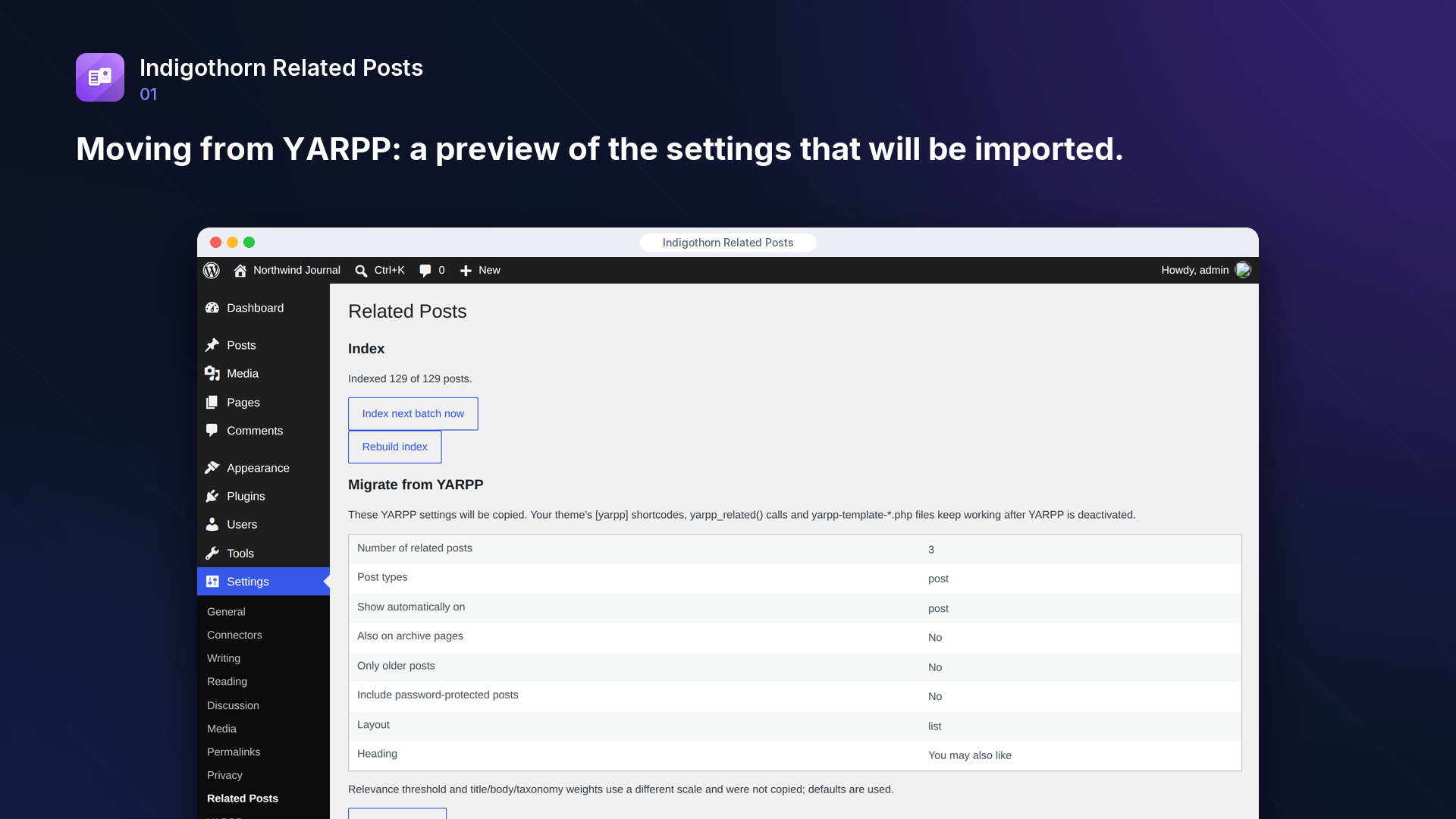
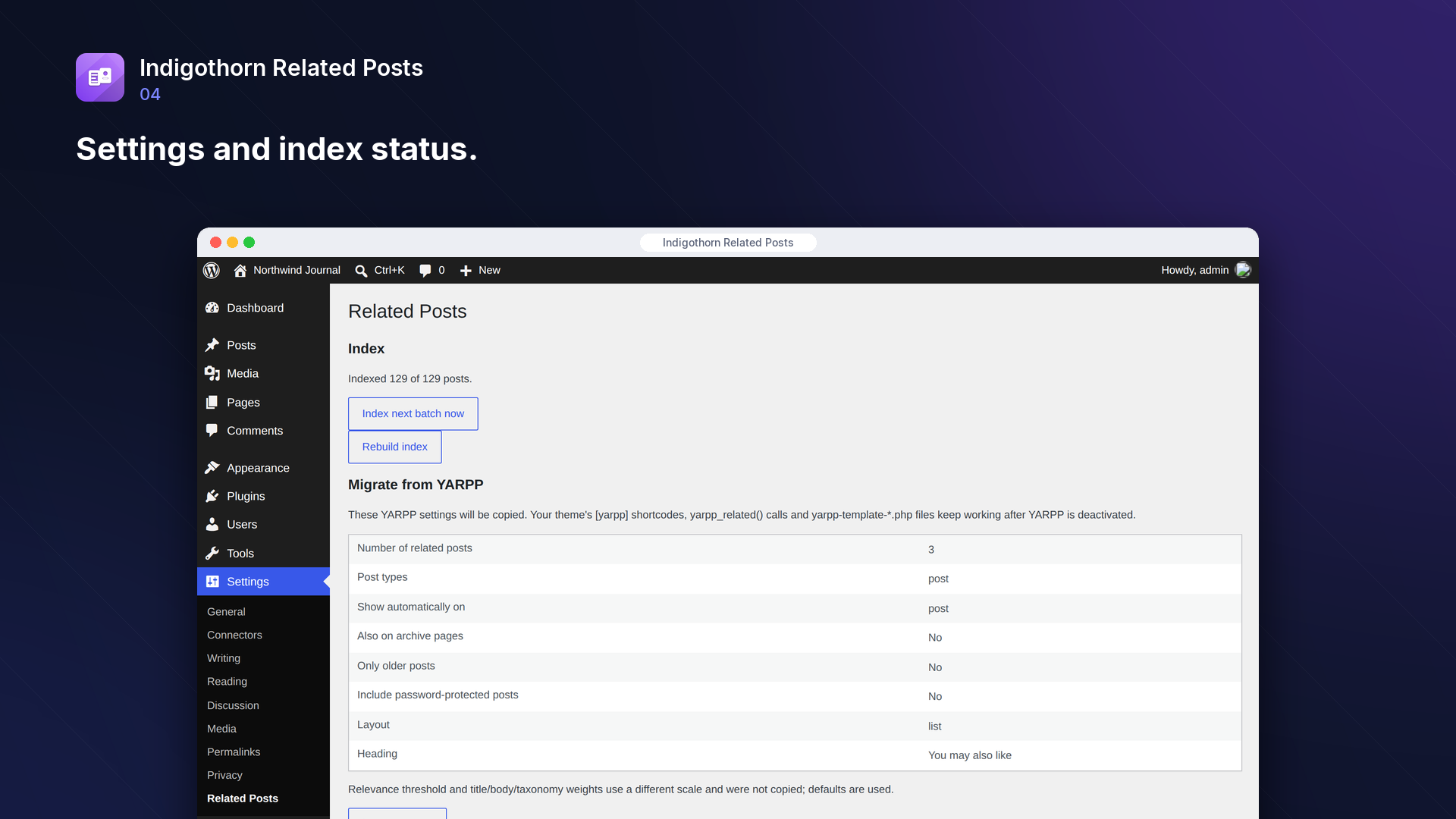
Moving from YARPP? The plugin reads your YARPP settings, shows exactly what will be copied, and imports them in one click. After you deactivate YARPP:
[yarpp]shortcodes in your posts keep working (a migration alias, registered only while no other plugin uses that name),- your theme's
yarpp-template-*.phpfiles keep working as a layout, - PHP calls to YARPP's functions in your theme (
yarpp_related()and others) have to be replaced: see "Moving from YARPP: theme code" below. The migration lists the theme files that call them and leaves YARPP active until they are replaced, so your site never shows an error.
Moving from YARPP: theme code
This plugin does not define YARPP's functions or its $yarpp object (they belong to YARPP). Replace them in your theme as follows:
- Block themes: add the "Related Posts" block to the single post template in the Site Editor.
yarpp_related(),related_posts(),related_entries(),related_pages():<?php echo do_shortcode( '[indigothorn_related_posts]' ); ?>, with the same options as the shortcode, for example[indigothorn_related_posts limit="4" layout="cards"]. In PHP you can also call\IndigothornRelatedPosts\Renderer::render( get_the_ID(), array( 'limit' => 4 ) ), which returns the HTML.yarpp_get_related():\IndigothornRelatedPosts\Related::ids( get_the_ID() )returns the IDs of the related posts, best first (useget_post()on each).yarpp_related_exist():array() !== \IndigothornRelatedPosts\Related::ids( get_the_ID() ).- Wrap the calls in
if ( class_exists( '\IndigothornRelatedPosts\Related' ) )so the theme keeps working when the plugin is inactive. yarpp-template-*.phpfiles keep working (choose "Theme template" as the layout). A template that reads YARPP's$yarppobject has to stop using it; the related posts arrive in the loop (have_posts()/the_post()) as with YARPP.
Features
- Related posts block,
[indigothorn_related_posts]shortcode and automatic display below posts. - Pin your own choices: in the block editor's "Pinned related posts" panel, pick posts to show first and put them in order. The rest is filled automatically.
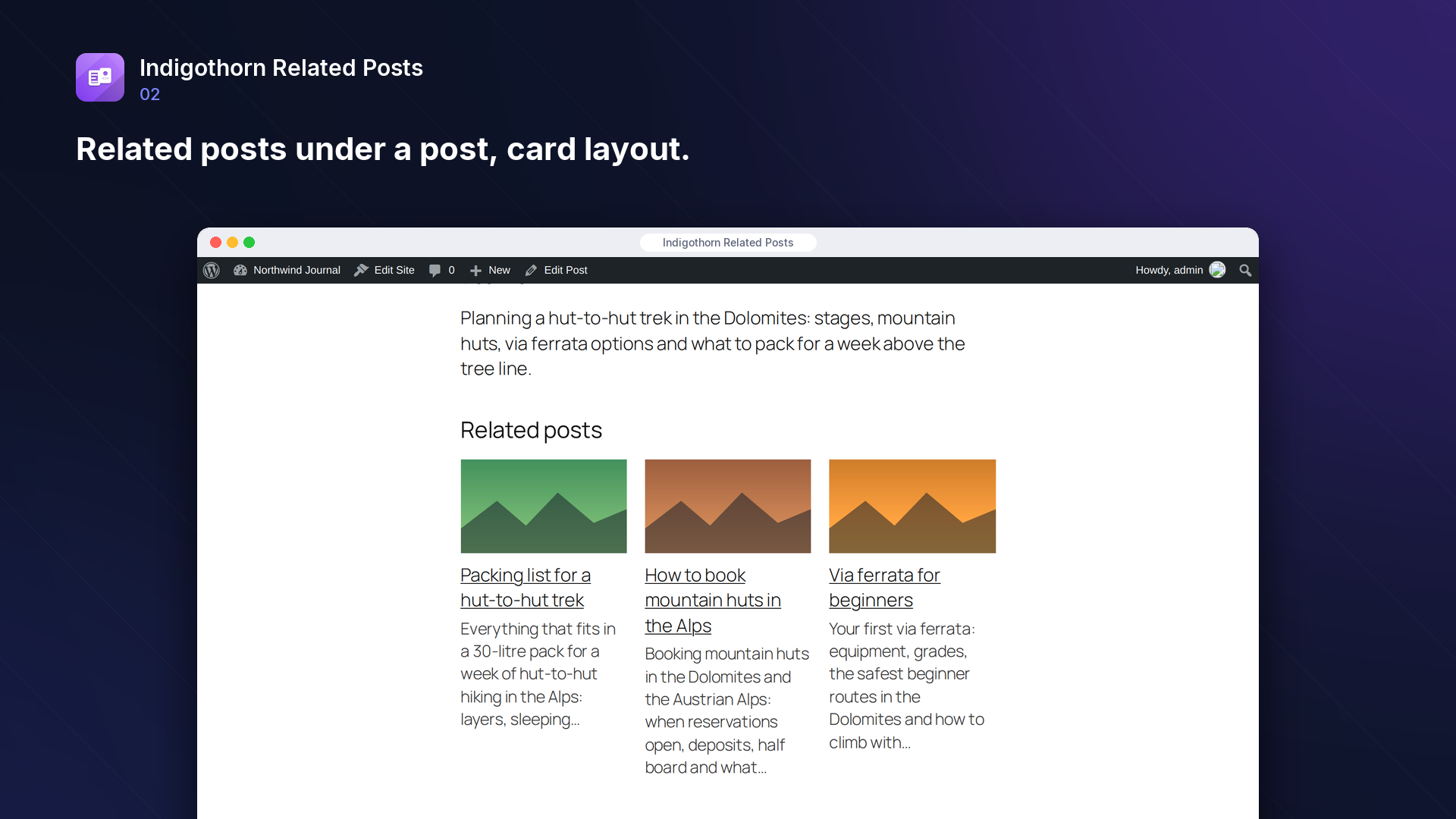
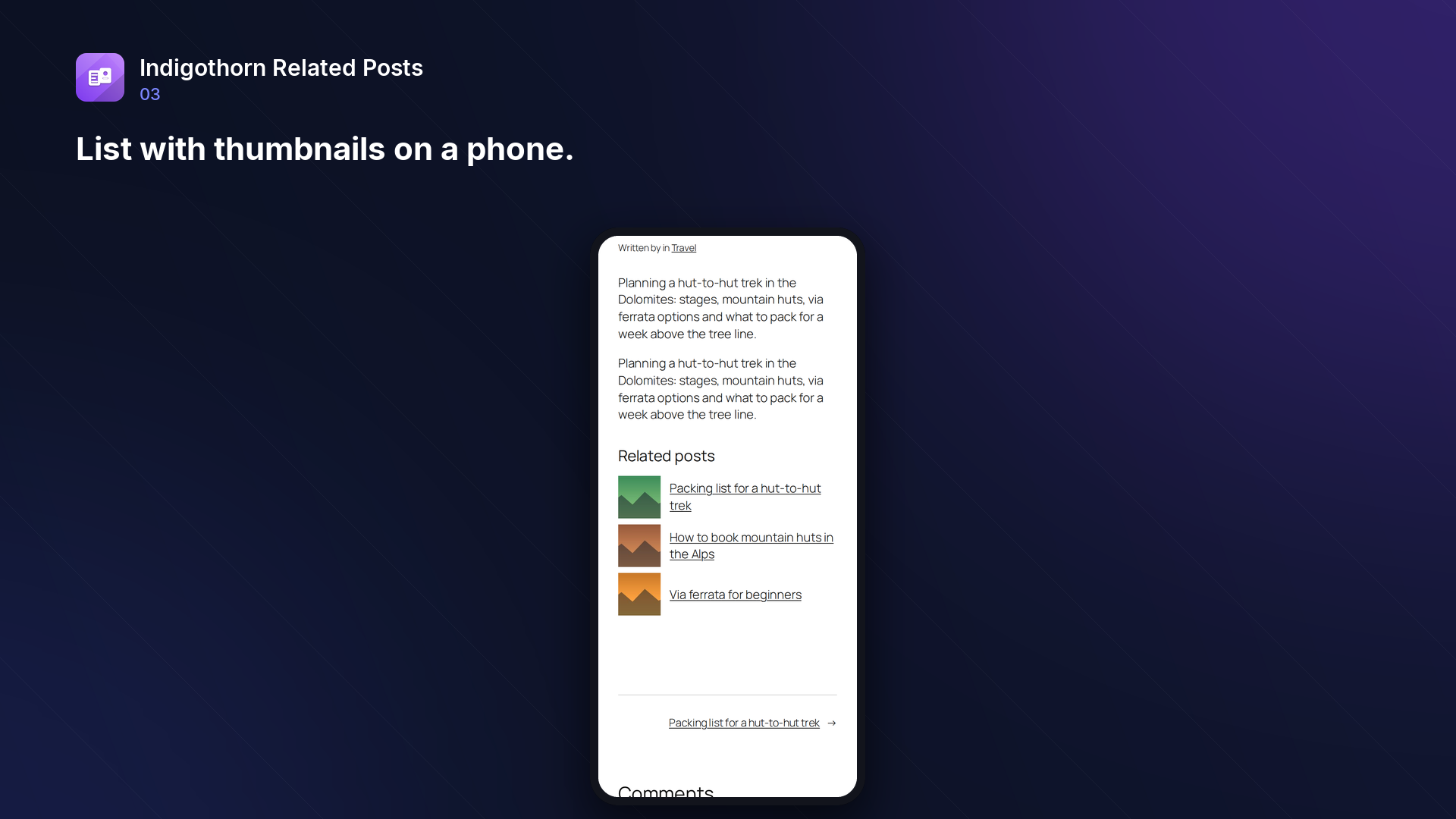
- Layouts: list, list with thumbnails, cards, or your own theme template.
- Filters: post types, excluded categories and tags, required shared taxonomies, only older posts, only recent posts, password-protected posts on or off, minimum relevance.
- Background indexing in small batches, so large sites never time out. WP-CLI:
wp indigothorn-related-posts index,wp indigothorn-related-posts related <id>,wp indigothorn-related-posts import-yarpp. - Results are cached per post: refreshed at once when that post or the settings change. About a minute after a new post is published, the lists of its 50 closest posts are refreshed so it joins them; all other lists are refreshed at least weekly ("Rebuild index" in the settings refreshes all of them).
- Multilingual sites (Polylang, WPML): related posts stay in the language of the post you are reading.
- No external services. Nothing leaves your site.
How it compares
Measured in a test lab with the same posts (October 2026). "Hard" posts share no categories or tags, so only the text says what they are about:
- Relevance on hard posts: 100% of suggestions on topic. YARPP with default settings: 17% (it weighs only categories and tags). Contextual Related Posts: 100%.
- Database queries per page view: 0 extra queries once results are cached; 8 when computing (YARPP 13–15, Contextual Related Posts 13).
- Large sites: with 10,000 posts, related posts are computed in about 50 ms the first time a post is viewed and then served from cache (0.2 ms, 1 query). The index is built in the background, about 7 ms per post.
- Your content keeps working after YARPP:
[yarpp]shortcodes andyarpp-template-*.phpfiles are handled; theme files that call YARPP functions are listed before you switch.
Inside WordPress.
How we checked it.
Automated on every release in an offline lab. The numbers are copied from the latest runs.
automated tests: 77 unit and integration, 15 in a real browser
full regression on WordPress 7.1, 6.5 and multisite (2026-10-15)
Plugin Check errors and warnings, including experimental checks
issues found by independent code reviews and fixed, each with a regression test
automated WCAG 2.1 A/AA check of every screen, no serious issues
PHP versions in static analysis and coding standards, both clean
Performance10,003 published posts
- index 10003 posts: 71.1 s (7.1 ms/post), peak memory 117 MB
- related posts on 10003 posts, not cached: median 51.8 ms, p95 63.3 ms, 19.0 queries
- related posts, cached: 0.20 ms, 1.0 queries per page view
- index size: 50.8 MB
No AI. Nothing leaves your site.
How it works
A local relevance index (BM25) over titles, text, categories and tags, cached per post.
AI
Not used. Everything runs on your server.
What leaves your site
Nothing. The plugin makes no outside requests.
Common questions.
Will my theme break when I deactivate YARPP?
No. With "Handle [yarpp] shortcodes" enabled (the default after import), [yarpp] shortcodes in your posts show this plugin's results. If your theme calls YARPP's PHP functions, the "Migrate from YARPP" section lists those files and "Import and deactivate YARPP" leaves YARPP active until you replace the calls (see "Moving from YARPP: theme code").
Does it use AI or send my content anywhere?
No. Relevance is computed on your own server from your own content.
How do I add related posts to a block theme?
Add the "Related Posts" block to your single post template in the Site Editor. In a classic theme, use [indigothorn_related_posts] or <?php echo do_shortcode( '[indigothorn_related_posts]' ); ?> in the template.
Does it work in my language?
Yes. Words are compared after simple normalisation that works for most languages written with letters; it has been tested with English, Polish and German posts. Languages without spaces between words (Chinese, Japanese) are not supported yet.
Does it work with Polylang or WPML?
Yes. With "Only posts in the same language" (on by default) related posts, including pinned ones, are only taken from the language of the post being read; posts without a language are left out. Other multilingual plugins can tell it a post's language with the semrp_post_language filter. Switch the setting off to mix languages.
Will it slow down my site?
No. The index is built in the background in small batches, results are cached per post and refreshed when a post or the settings change, for a new post's closest neighbours about a minute after it is published, and otherwise at least weekly. Visitors never wait for indexing.
Can I use my old YARPP templates?
Yes. Choose "Theme template" as the layout and pick your yarpp-template-*.php file; it receives the related posts in the loop the same way YARPP passed them (templates that use YARPP's $yarpp object need a small change, see above).
Can I choose some related posts myself?
Yes. Open the post in the block editor, find the "Pinned related posts" panel in the post sidebar, search for a post and pin it. Pinned posts are shown first, in the order you set, and count towards the number of posts shown; the remaining places are filled automatically. Pinned posts that are later unpublished, made private or password-protected are skipped. Anyone who can edit the post can change its pins. The panel needs a post type with custom fields support (posts and pages have it).
What happens to my data when I delete the plugin?
The index tables and settings are removed unless you tick "Keep settings and index when the plugin is deleted". Posts are never changed.
Installation
1. Install and activate the plugin.
2. Go to Settings → Related Posts. Indexing starts automatically in the background; "Index next batch now" speeds it up.
3. If you used YARPP, review the "Migrate from YARPP" section and click "Import and deactivate YARPP".
Works well with.
Indigothorn Table of Contents
A table of contents with zero JavaScript. Your LuckyWP links stay the same.
Indigothorn Link Checker
Find broken links without slowing your site. Fix them in one click.
Indigothorn Internal Links
Internal link suggestions from your own words, while you write. Free.