
 DocsWordPress plugin · Free
Indigothorn Docs Answers
An “Ask the docs” box that answers only from your documentation, with verbatim quotes.
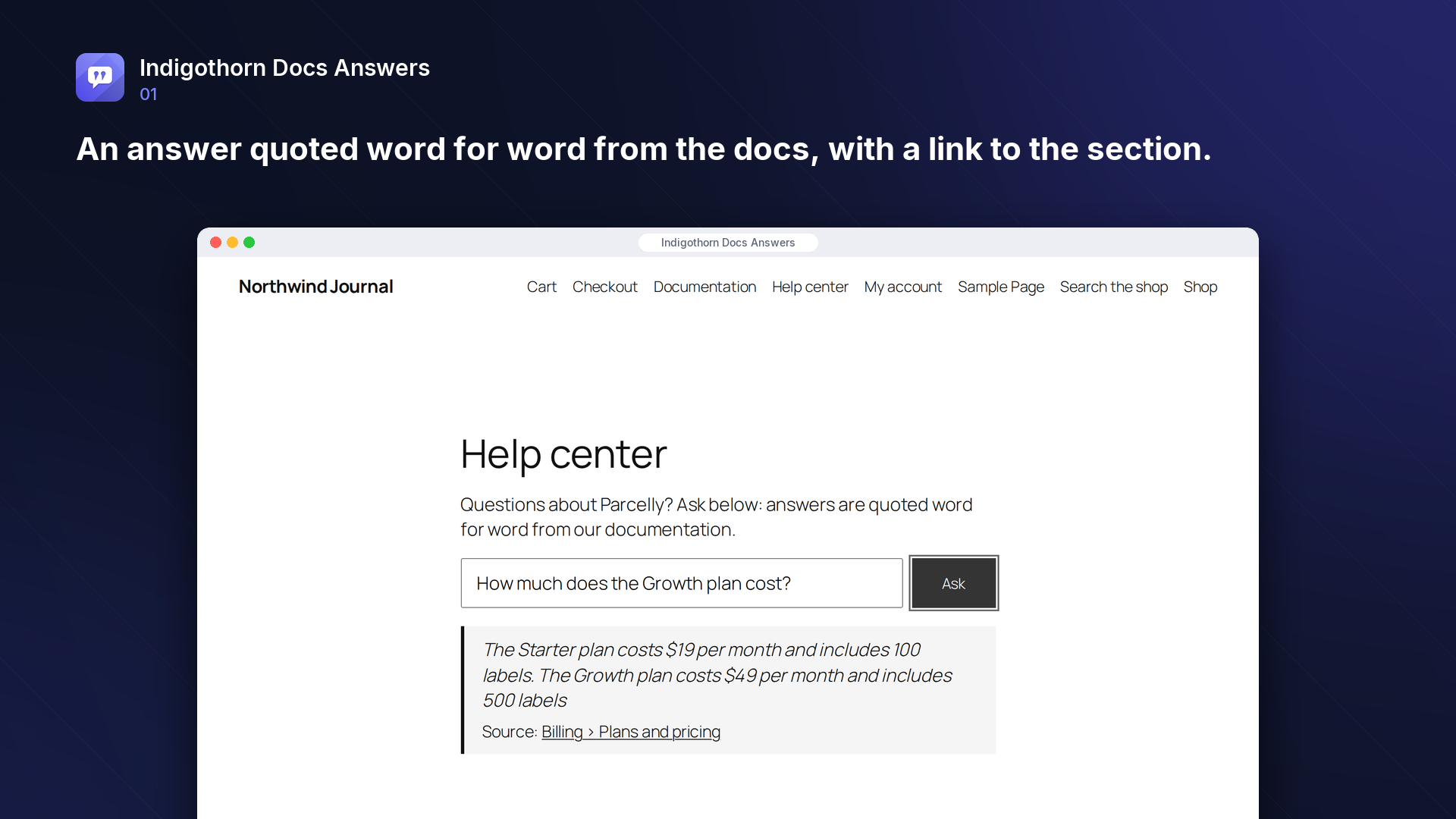
No made-up answers: every reply quotes your docs word for word, or says it doesn't know.
Specification
- Price
- Free, GPL
- Version
- 0.1.0
- Requires
- WordPress 6.5+, PHP 8.1+
- Tested up to
- WordPress 7.1
- Instead of
- BetterDocs search
- AI
- Optional, your provider
- Key number
- 5/5 out-of-scope questions refused
See the idea work, right here.
A small working preview of what the plugin does, on sample data, in your browser. Nothing is sent anywhere.
Ask the sample documentation
Docs it can quote
Answer
“Annual plans can be refunded within 30 days of purchase.”
Without AI, the answer is made of the most relevant passages. With the optional AI summary, every quote is checked against your docs and answers without a verified quote are never shown.
Indigothorn Docs Answers vs the alternatives.
Measured in our lab with the same data where there is a number; features from each plugin’s own page otherwise.
| Feature | Indigothorn Docs AnswersIndigothorn · free | BetterDocs30k, AI chat in Pro | AI chatbotse.g. AI Engine |
|---|---|---|---|
| No answer without a word-for-word quote | Yes | No | No |
| Says “not found” instead of guessing | Yes | No | No |
| Works without AI | Yes | Yes | No |
| Report of unanswered questions | Yes | — | — |
| Uses BetterDocs or weDocs content as is | Yes | — | — |
Out of five questions the docs did not cover, all five were refused. “—” means not applicable or not checked.
The free plugin is complete. Pro adds the heavy lifting.
Proposed price, not on sale yet: $49 / year. $49 / year.
- AI answers hosted by us, still quote-checked
- Higher question limits
What you get.
What it does
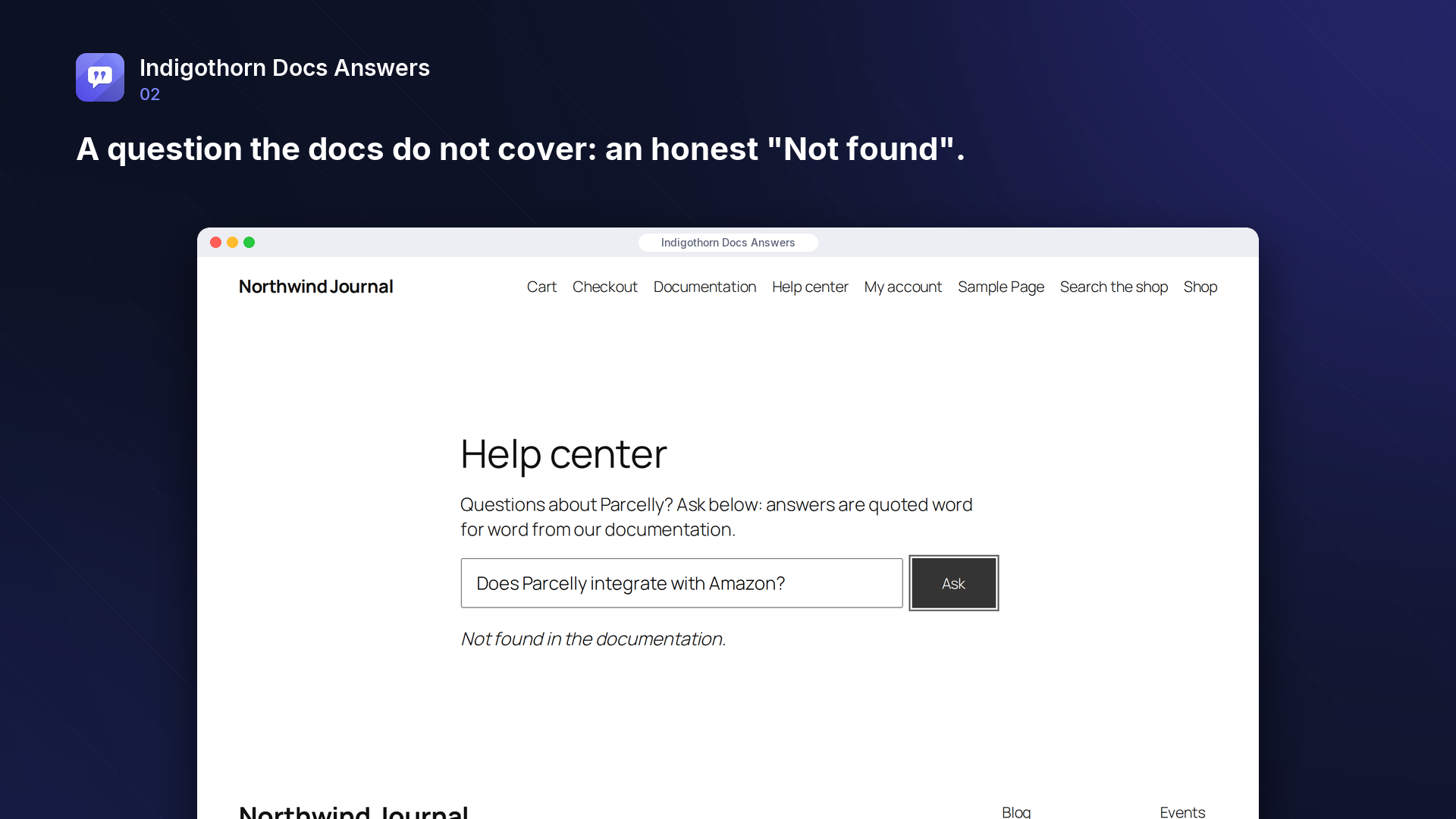
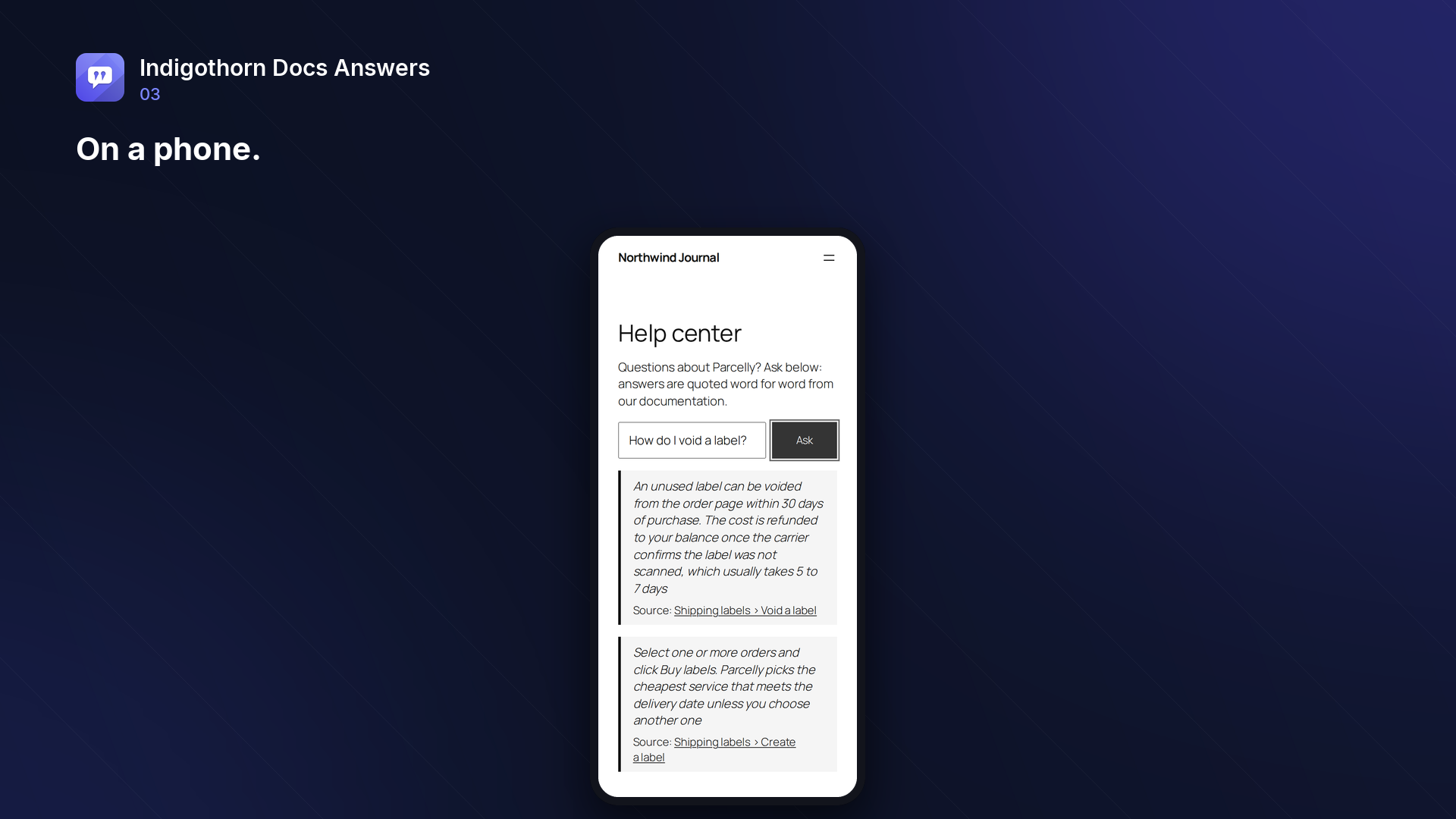
Visitors ask a question; Ask the Docs answers only from your documentation and shows the exact sentences it used, each linked to the section it comes from. When the docs do not cover a question, it says "Not found in the documentation" instead of guessing, and the question goes to a report so you know what to write next.
- Docs post type with categories, ordering, breadcrumbs and "In this section" navigation. Or use the docs you already have: BetterDocs, weDocs or any public post type can be the source, no migration needed.
- Ask the docs block and
[indigothorn_docs_answers]shortcode. - Answers you can check: every answer carries at least one quote copied word for word from your docs. Nothing is shown without one.
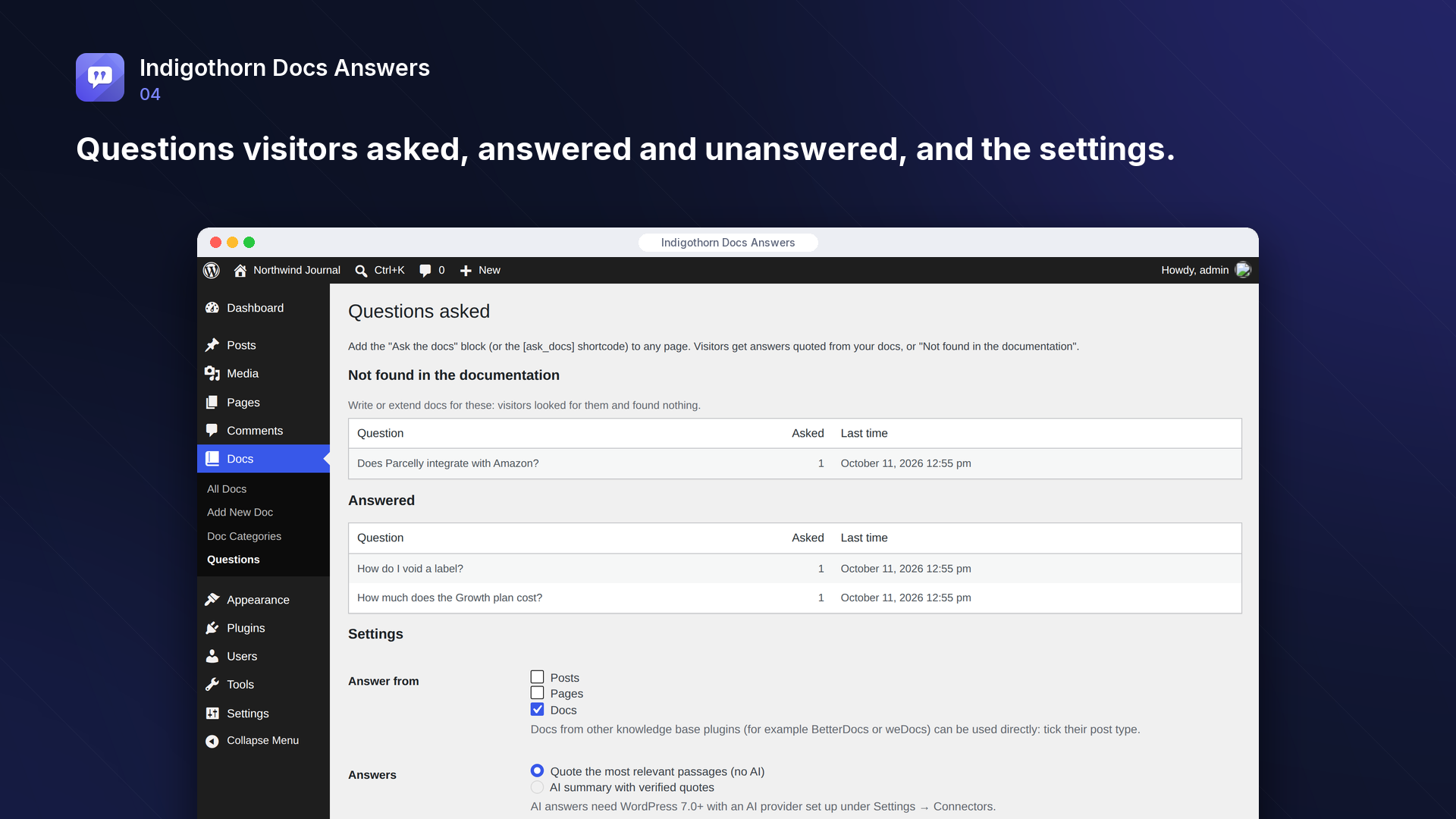
- Unanswered questions report: the questions people asked that your docs could not answer, most frequent first. One click turns a question into a draft doc, ready to write (it is never published by itself).
- Was this answer helpful? Visitors can rate each answer once with Yes or No. The report shows the counts and highlights answers rated "not helpful" more often than "helpful": the quotes are real, but they may not fit the question.
- Works without AI: by default the answer is made of the most relevant passages of your docs.
- Optional AI summary (WordPress 7.0+ with an AI provider under Settings → Connectors): the AI writes a short answer and must quote the docs; every quote is checked against your docs, and answers without a verified quote are never shown.
- Private by design: the question log stores only the question text and, if given, the visitor's rating, no IP address, user or cookie. A per-visitor hourly limit protects the endpoint.
Tested
- On a test set of questions the docs answer, 8 of 10 got a correct quoted answer; all 5 questions outside the docs were refused instead of answered wrongly.
- With 10,000 sections in the index, a question is answered in about 15 ms (4 database queries).
- Only quotes that are nearly as relevant as the best one are shown, so answers stay short.
Inside WordPress.
How we checked it.
Automated on every release in an offline lab. The numbers are copied from the latest runs.
automated tests: 30 unit and integration, 13 in a real browser
full regression on WordPress 7.1, 6.5 and multisite (2026-10-15)
Plugin Check errors and warnings, including experimental checks
issues found by independent code reviews and fixed, each with a regression test
automated WCAG 2.1 A/AA check of every screen, no serious issues
PHP versions in static analysis and coding standards, both clean
Performance10,003 published posts
- index 10003 posts (10003 sections): 32.2 s (3.2 ms/post), peak memory 101 MB
- answer a question from 10003 sections: median 15 ms, max 38 ms, 4 queries (4 of 8 answered)
AI is your choice, and your provider.
How it works
Answers with the most relevant passages of your docs, quoted word for word.
AI
Optional: writes a short answer that must quote your docs; unverified quotes are dropped.
What leaves your site
Only with the AI summary on: the question and matching passages go to your AI provider.
Common questions.
Do I need an AI provider?
No. Without AI, answers are the passages of your docs that best match the question.
How do I add the ask box with a shortcode?
Use [indigothorn_docs_answers], optionally with your own placeholder text: [indigothorn_docs_answers placeholder="Ask about shipping"]. The shorter [ask_docs] works too, as long as no other plugin or theme on your site uses that name: the plugin registers it as an alias only when it is free, so it never takes over another plugin's shortcode.
What happens when the docs do not have the answer?
The visitor sees "Not found in the documentation." and the question appears under Docs → Questions.
Are my docs deleted when I remove the plugin?
No. Docs are your content and stay. The search index and the question log are removed unless you choose to keep them.
Can I write a doc straight from an unanswered question?
Yes. In Docs → Questions, click "Create draft doc" next to the question. A draft with the question as its title opens in the editor; it stays a draft until you publish it, and only published docs are used for answers. Each question gets one draft: the report then links to it. Editors and administrators can do this.
How does the helpful / not helpful rating work?
Every shown answer comes with a one-time rating token. A rating is stored on that answer's row of the anonymous question log: no IP address, account or cookie. Each answer can be rated once, within a day, and only answers that were actually shown can be rated, so the counts cannot be inflated without asking questions (which the hourly limit caps).
Can visitors abuse the box?
Each visitor can ask a limited number of questions per hour (30 by default, configurable). With AI answers switched on, the same limit applies to every request.
Installation
1. Install and activate the plugin. A "Docs" menu appears; write your documentation there, or tick the post type of your existing knowledge base plugin under Docs → Questions → Settings.
2. Add the "Ask the docs" block (or the [indigothorn_docs_answers] shortcode) to your help page.
3. Check Docs → Questions now and then: it lists what visitors asked and the docs did not cover.
Works well with.
Indigothorn Table of Contents
A table of contents with zero JavaScript. Your LuckyWP links stay the same.
Indigothorn Related Posts
Related posts that understand your content. YARPP migration in one click.
Indigothorn Link Checker
Find broken links without slowing your site. Fix them in one click.