
 WooCommercePlugin · Free
Indigothorn Product Search
Product search that forgives typos and knows synonyms. Live suggestions included.
“sneakres”, “trampki”, “red dress L”: the right product in the top 3 for 40 of 40 searches. WooCommerce default: 15.
Specification
- Price
- Free, GPL
- Version
- 0.1.0
- Requires
- WordPress 6.7+, PHP 8.1+
- Tested up to
- WordPress 7.1
- Instead of
- FiboSearch, Advanced Woo Search
- AI
- Optional, your provider
- Key number
- 40/40 vs WooCommerce 15/40
See the idea work, right here.
A small working preview of what the plugin does, on sample data, in your browser. Nothing is sent anywhere.
No products found
Typos, built-in synonyms in English, Polish and German and your own synonym groups, without any AI key. In our lab: 40 of 40 searches found the right product, the default WooCommerce search 15 of 40.
Indigothorn Product Search vs the alternatives.
Measured in our lab with the same data where there is a number; features from each plugin’s own page otherwise.
| Feature | Indigothorn Product SearchIndigothorn · free | WooCommerce searchdefault | Advanced Woo Searchfree | FiboSearchfree |
|---|---|---|---|---|
| Right product in top 3 (40 searches) | 40/40 | 15/40 | 30/40 | 8/40 |
| Typos | 8/8 | 0/8 | 7/8 | 0/8 |
| Synonyms and English ↔ Polish names | 12/12 | 5/12 | 6/12 | 2/12 |
| Colour + product type | 6/6 | 4/6 | 4/6 | 3/6 |
| Time per search | 2.2 ms | 1.2 ms | 9 ms | 1.9 ms |
| Report of searches with no results | Yes | No | No | No |
300 products, 40 searches, every plugin with default settings and no API key. The catalogue and searches were written with this plugin, so read it as a fair test of the same searches, not a promise for every shop. “—” means not applicable or not checked.
The free plugin is complete. Pro adds the heavy lifting.
Proposed price, not on sale yet: from $49 / year. $49 / year up to 1,000 products · $99 up to 10,000 · $199 up to 50,000.
- Semantic search hosted by us, no AI key needed
- Search analytics tied to revenue
- Pin and boost products for any search
- Suggestions for searches that found nothing
What you get.
What it does
Shoppers type "sneakres", "trampki" or "red dress L" and expect results. The default WooCommerce search matches exact words only, so these searches often end with "No products were found".
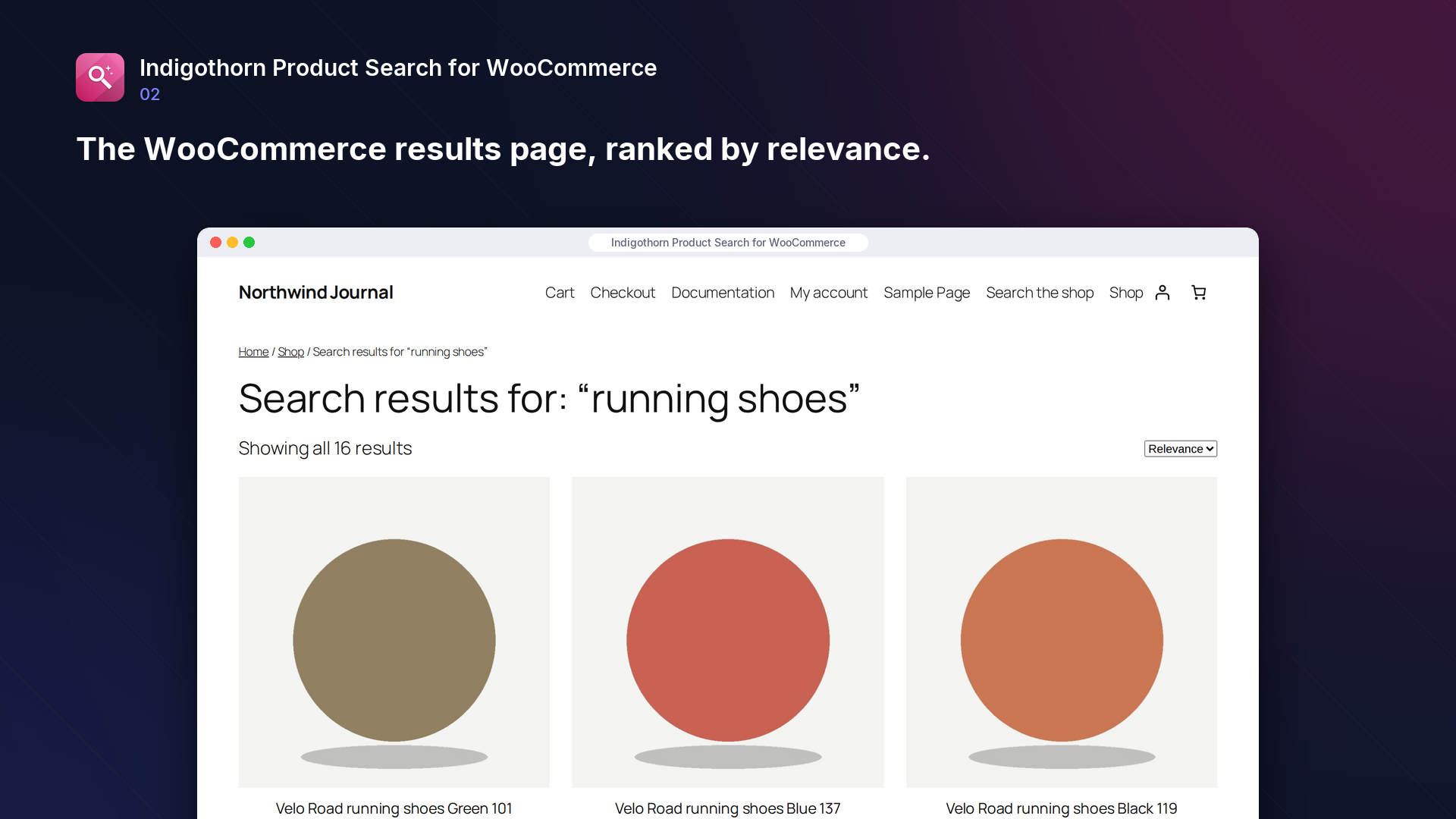
Indigothorn Product Search keeps its own product index and ranks results by relevance:
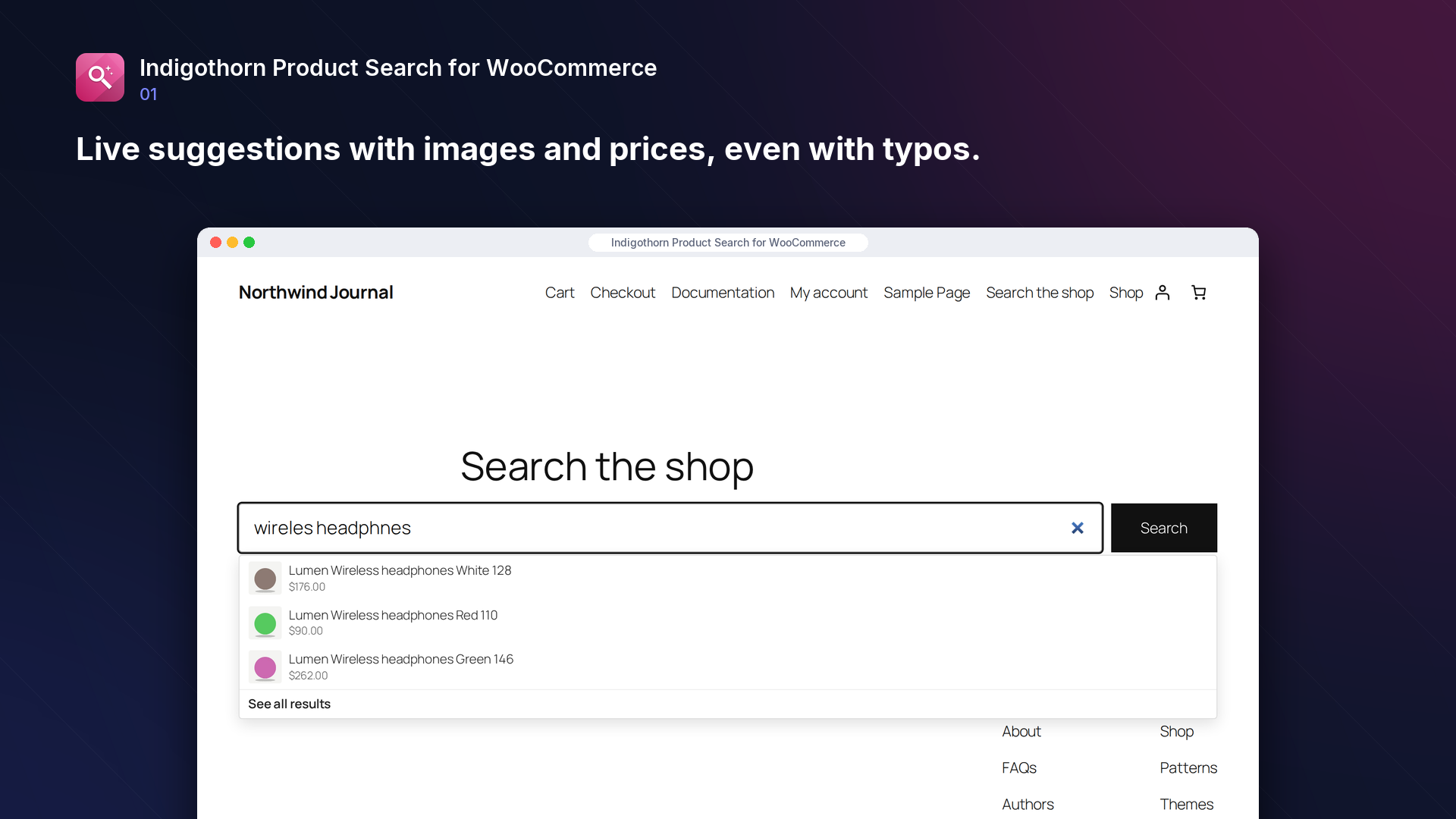
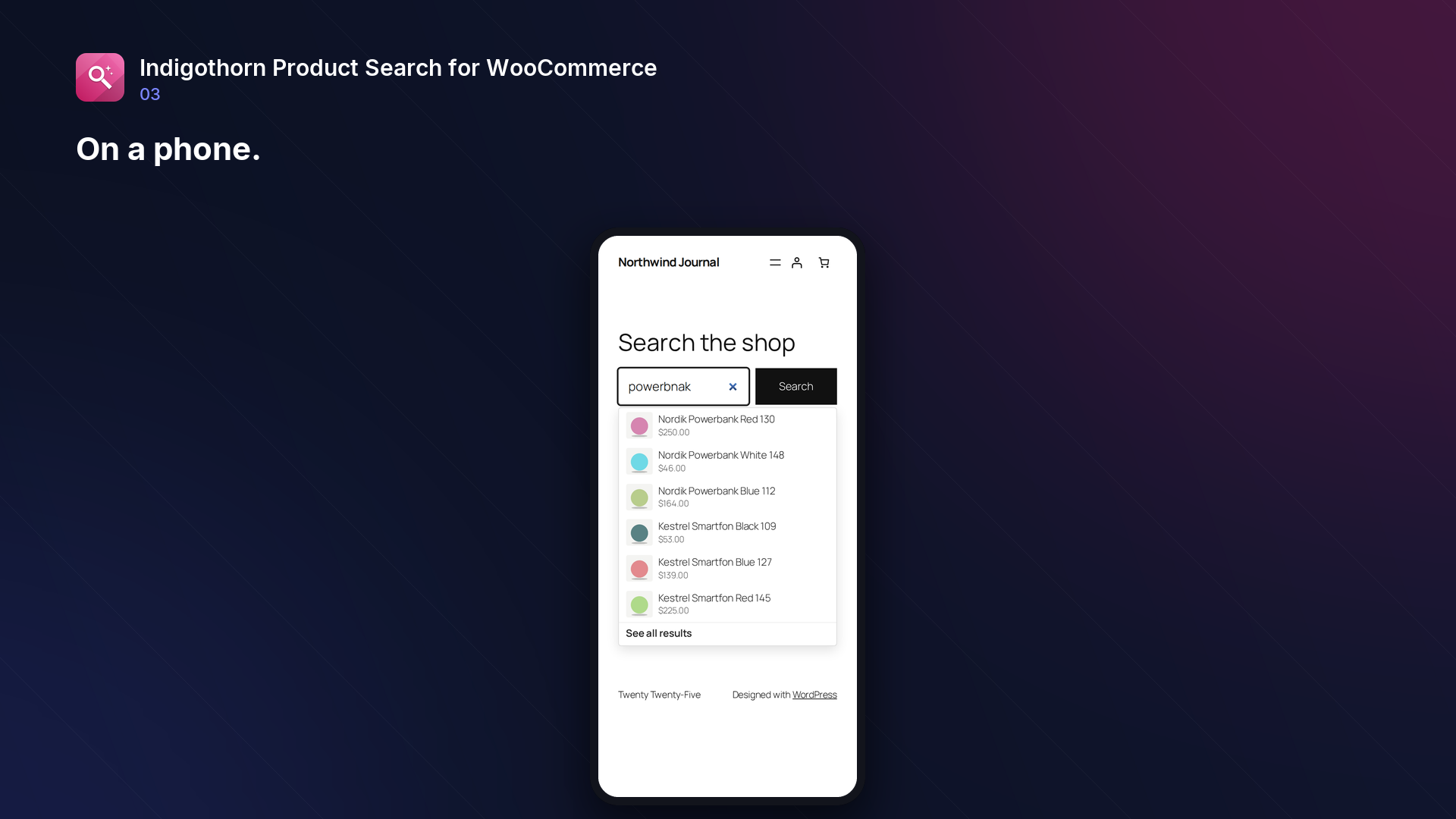
- Typos: "runnning shoes", "headphnes" and "desk lmap" still find the right products.
- Synonyms: built-in shop vocabulary in English, Polish and German (sneakers = trampki = Turnschuhe, phone = smartphone = smartfon, red = czerwona = rot …), plus your own synonym groups.
- Attributes and SKUs: colours, sizes, categories and tags are searchable; an exact SKU always comes first.
- Multilingual shops: with WPML or Polylang, shoppers only see products in the language they are browsing (untranslated products are shown in every language), and your own synonym groups can be limited to one language.
- In-stock first: products you can ship rank above out-of-stock ones (optional).
- Live suggestions in your product search boxes, with images and prices. Lightweight, no jQuery, keyboard accessible.
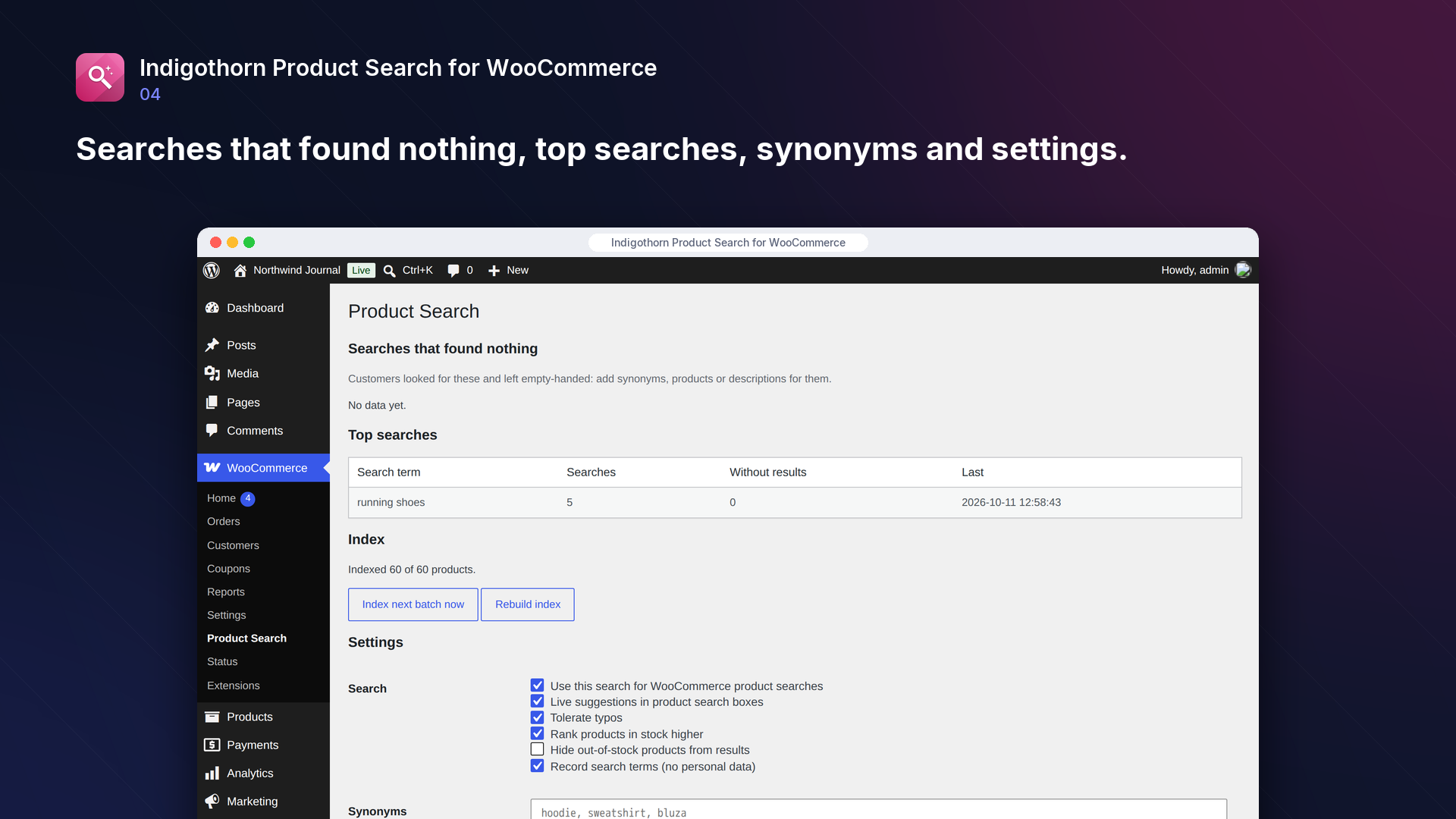
- "Searches that found nothing" report: see what customers wanted and could not find. It stores only the search terms and counts: no IP addresses or accounts, terms that look like an e-mail address or phone number are skipped, and terms are deleted after 90 days without a search. You can turn it off.
- Click-through rate: see how often shoppers open a product after searching a term, how often they pick a live suggestion, and which searches find products nobody clicks. Clicks are anonymous counters (no IP addresses, accounts or visitor IDs are stored) and follow the analytics switch. A click only counts for a term and product the shop really showed, and each visitor can send at most 20 click events in 10 minutes (counted under a hashed key that changes every 10 minutes).
- Pinned and hidden products: for a search term, show chosen products first (in your order) or never show some products. Only published products that are visible in search can be pinned.
- Variation results: a search for "blue shirt medium" opens the shirt with the blue, medium variation selected, and live suggestions show that variation's price, image and stock. Disabled variations are never linked.
- Optional semantic search: connect your own AI provider (any OpenAI-compatible embeddings API) for intent queries like "shoes for asphalt running". Off by default.
Add a search box anywhere with [indigothorn_product_search], or keep using your theme's WooCommerce product search, which is enhanced automatically.
How it compares
On a test catalogue of 300 products with 40 typical shop searches (exact names and SKUs, typos, synonyms and English/Polish names, colour plus product type, words from descriptions), the right product was in the top three for:
- Indigothorn Product Search: 40 of 40, without any AI key;
- the default WooCommerce search: 15 of 40;
- two popular free search plugins, out of the box: 8 and 30 of 40.
The test catalogue and searches were written together with this plugin, so treat the numbers as a fair comparison of the same searches, not as a promise for every shop.
Large catalogues
With 5,000 products, a search takes about 5 ms inside the plugin (repeated searches are cached), and indexing runs in the background at about 7 ms per product. Live suggestions add about 40 ms to a request compared with WooCommerce's own product endpoint on the same server.
Inside WordPress.
How we checked it.
Automated on every release in an offline lab. The numbers are copied from the latest runs.
automated tests: 63 unit and integration, 26 in a real browser
full regression on WordPress 7.1, 6.5 and multisite (2026-10-15)
Plugin Check errors and warnings, including experimental checks
issues found by independent code reviews and fixed, each with a regression test
automated WCAG 2.1 A/AA check of every screen, no serious issues
PHP versions in static analysis and coding standards, both clean
Performance10,003 published posts
- index 5003 products: 33.8 s (6.8 ms/product), peak memory 184 MB
- search 5003 products (not cached): median 5 ms, max 15 ms, 6 queries
- repeated search (cached): 0.00 ms
AI is your choice, and your provider.
How it works
Local index with typo tolerance, shop synonyms in EN, PL and DE, and attributes.
AI
Optional: embeddings from your own provider for intent queries like “shoes for asphalt running”.
What leaves your site
Only with semantic search on: product texts and search terms go to your embeddings provider.
Common questions.
Does it replace the WooCommerce search page?
Yes, product searches use this plugin's ranking and your theme's normal WooCommerce results template. You can switch this off in WooCommerce → Product Search.
Do I need an AI key?
No. Typos, synonyms, attributes and live suggestions work without any external service.
Is it fast enough for a big catalogue?
Searches are answered from the plugin's own index with a few database queries, and repeated searches are cached. Live suggestions are fetched as the shopper types and cancelled when they keep typing.
Which languages does it understand?
Any language works for exact words and typos. The built-in synonyms cover common shop words in English, Polish and German; add your own synonym groups for anything else.
Does it work with WPML or Polylang?
Yes. Each product is indexed with its language, and search results and live suggestions only show products in the shopper's language plus products that have no language. A translated product with the same name or SKU therefore appears once, in the right language. The plugin only reads the language through WPML's and Polylang's public functions; nothing is translated or sent anywhere. You can switch this off in the settings. To limit one of your synonym groups to a language, start the line with its code, for example de: Pulli, Pullover.
What happens to my data when I delete the plugin?
The index, settings and search statistics are removed unless you tick "Keep index, settings and analytics when the plugin is deleted". Products are never changed.
Installation
1. Install and activate the plugin (WooCommerce must be active). Your products are indexed in the background.
2. Product searches in your theme now use the new ranking. Add [indigothorn_product_search] wherever you want a search box with live suggestions.
3. See WooCommerce → Product Search for searches that found nothing, your own synonyms and the settings.